MiniMax OAuth Integration
MiniMax OAuth Integration — easy-to-understand guide based on official docs
Think of API keys like a house key—they work, but you have to keep track of them, and if you lose one, you’re locked out. OAuth is more like a hotel keycard: it’s temporary, tied to your identity, and can be reissued anytime. For MiniMax users, that’s exactly what Hermes Agent now offers.
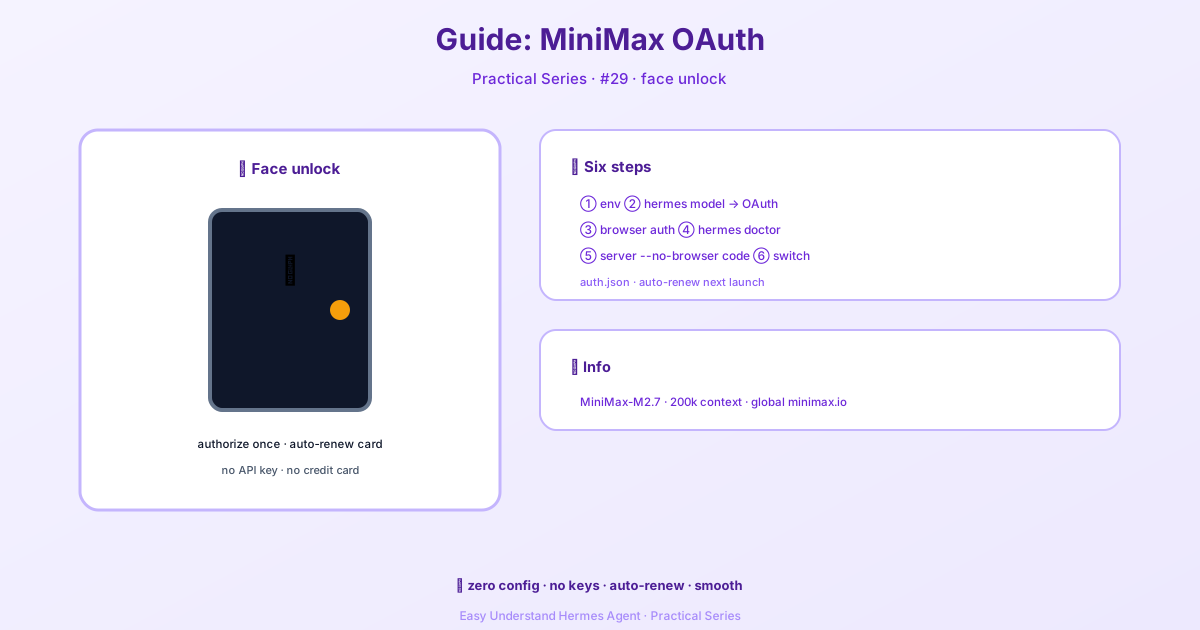
What’s New?
Hermes Agent has added OAuth support for MiniMax, meaning you can now sign in with your MiniMax account instead of juggling an API key. This is especially handy if you’re a heavy MiniMax user who wants a more secure, session-based connection. The best part? It works with both the global endpoint and the China endpoint.
Why Use OAuth Over an API Key?
- No key management – No more copying, pasting, or worrying about key leaks in
.envfiles. - Automatic refresh – OAuth tokens expire and renew automatically, so you don’t have to manually rotate keys.
- Same tools, same power – You still get access to all MiniMax models like
MiniMax-M2.7with the same quality.
How to Set It Up
First, make sure you have Hermes Agent installed and updated. Then, add your MiniMax OAuth credentials:
hermes auth add minimax-oauthThis will open a browser window where you log in to your MiniMax account and grant access. Once done, you’re ready to chat.
If you’re on a remote server or container with no browser, add the --no-browser flag. Hermes will print a verification URL and code you can open on any device:
hermes auth add minimax-oauth --no-browserUsing MiniMax with OAuth
Now, instead of setting MINIMAX_API_KEY in ~/.hermes/.env, you can simply run:
hermes chat --provider minimax-oauth --model MiniMax-M2.7For users in China, use the dedicated endpoint:
hermes chat --provider minimax-cn --model MiniMax-M2.7Hermes automatically detects that you’re using OAuth and skips the API key check.
What About the China Endpoint?
If you’re on the China endpoint, the OAuth flow is the same. Just make sure you select MiniMax (China) when adding auth:
hermes auth add minimax-cn-oauthThen use --provider minimax-cn as usual.
A Few Things to Keep in Mind
- OAuth tokens are stored securely in your Hermes config, not in plain text
.envfiles. - If your token expires, Hermes will prompt you to re-authenticate—no panic needed.
- You can still use API keys if you prefer; OAuth is just an additional option.
- If you see an error saying
minimax-oauthis set inconfig.yamlbut no credentials were found, it just means you haven’t logged in yet. Runhermes auth add minimax-oauth, or switch that provider back tominimaxwith an API key.
Summary
MiniMax OAuth integration in Hermes Agent is like upgrading from a physical key to a smart lock. It’s safer, more convenient, and removes the hassle of key management. Whether you’re on the global or China endpoint, you can now chat with MiniMax models in seconds.
Practical tip: If you’re testing multiple MiniMax models, set your provider permanently in config.yaml:
model:
  provider: "minimax-oauth"
  default: "MiniMax-M2.7"
Then you can just run hermes chat without any flags. Happy building!
📖 Official Docs
This article is based on the official Hermes Agent documentation:Official docs › guides/minimax-oauth