Feishu — All-in-One Collaboration Platform
Feishu — All-in-One Collaboration Platform — easy-to-understand guide based on official docs
Think of Feishu as a Swiss Army knife for your team — instead of juggling five different apps for chat, docs, meetings, and tasks, you get one tidy toolbox where everything just clicks together.
What Makes Feishu Special?
Feishu (known as Lark outside China) combines messaging, video calls, calendars, cloud documents, and project management into a single platform. It’s like having your office, meeting room, and filing cabinet all in one backpack — no more switching tabs every five minutes.
Chat That Actually Connects to Work
The chat isn’t just for talking. You can:
- @-mention a doc and teammates can comment right inside it
- Create tasks directly from a conversation — no copy-paste needed
- Share your screen with one click during a video call
It feels like the chat knows what you’re working on, because it’s all in the same place.
Docs That Build Themselves
Feishu Docs are collaborative in real time — like Google Docs, but with a twist. You can embed live tables, polls, and even mini-apps right inside a page. For example, a project tracker can live inside the meeting notes, so everyone sees the same numbers without opening a separate spreadsheet.
Meetings Without the Friction
Scheduling is smart: Feishu suggests times based on everyone’s calendar, and the meeting link is automatically added to the invite. During the call, you can record, take notes, and even translate subtitles live — handy for global teams.
Automate the Boring Stuff
Here’s where it gets fun. Feishu lets you set up simple “workflow bots” that watch for triggers. For example:
# A simple alert script (runs every 5 minutes)
if [ "$RAM_PCT" -ge 85 ]; then
  echo "⚠ RAM ${RAM_PCT}% on $(hostname)"
fi
You can schedule this with a cron job (like Hermes Agent does) to send a message to your Feishu group only when something needs attention. No message = all good. That’s the “silent watchdog” pattern — your team only gets pinged when there’s a real problem.
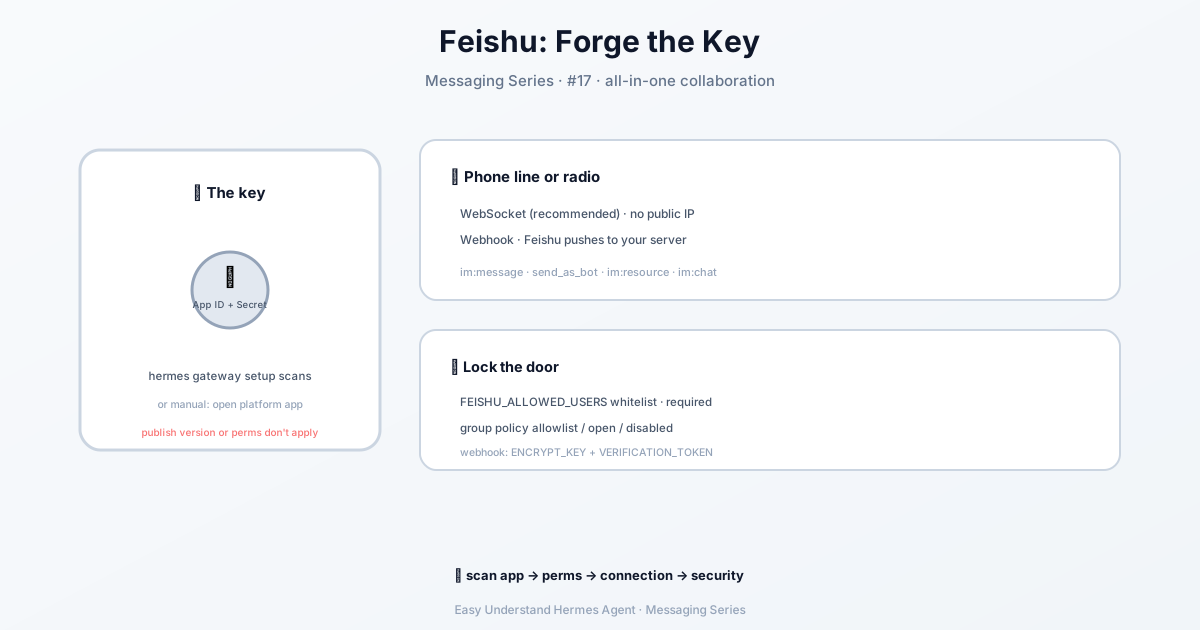
If you wire Hermes Agent into Feishu, it keeps a persistent WebSocket link open and reconnects on its own — and if the connection drops entirely, a supervisor rebuilds it with capped backoff. While it’s down, hermes gateway status shows the platform as retrying until things are live again.
One gotcha for group chats: with the default allowlist policy and an empty FEISHU_ALLOWED_USERS, every human group message gets rejected while direct messages keep working. The first drop is logged once at WARNING with the keys to set. And under a multiplexed gateway, each profile reads only its own .env, so put FEISHU_GROUP_POLICY / FEISHU_ALLOWED_USERS in profiles/<name>/.env (or use group_rules in that profile’s config.yaml).
Rich-text (post) messages are handled too: inline images and files inside the post body, plus attachments sent alongside a caption, are all extracted and cached — each one leaves an [Attachment: <name>] marker in the text. For small text-based documents (.txt, .md), the file content is automatically appended after the message text so the agent can read it directly without tools, and your caption stays in place.
Why Teams Love It
- One login for everything — no more password fatigue
- Mobile and desktop feel the same, so you can switch devices without losing context
- Open API — you can connect Feishu to your own tools, like the Hermes Agent example above
Final Thoughts
Feishu isn’t just another chat app — it’s a workspace that reduces context-switching. If you’re tired of bouncing between Slack, Zoom, and Trello, give it a try for a week.
Practical tip: Start small. Use Feishu for your daily stand-up meeting and project tracking for 7 days. You’ll quickly see where the magic is — and where you can ditch a separate tool.
📖 Official Docs
This article is based on the official Hermes Agent documentation:Official docs › user-guide/messaging/feishu