QQ Bot — AI in QQ
QQ Bot — AI in QQ — easy-to-understand guide based on official docs
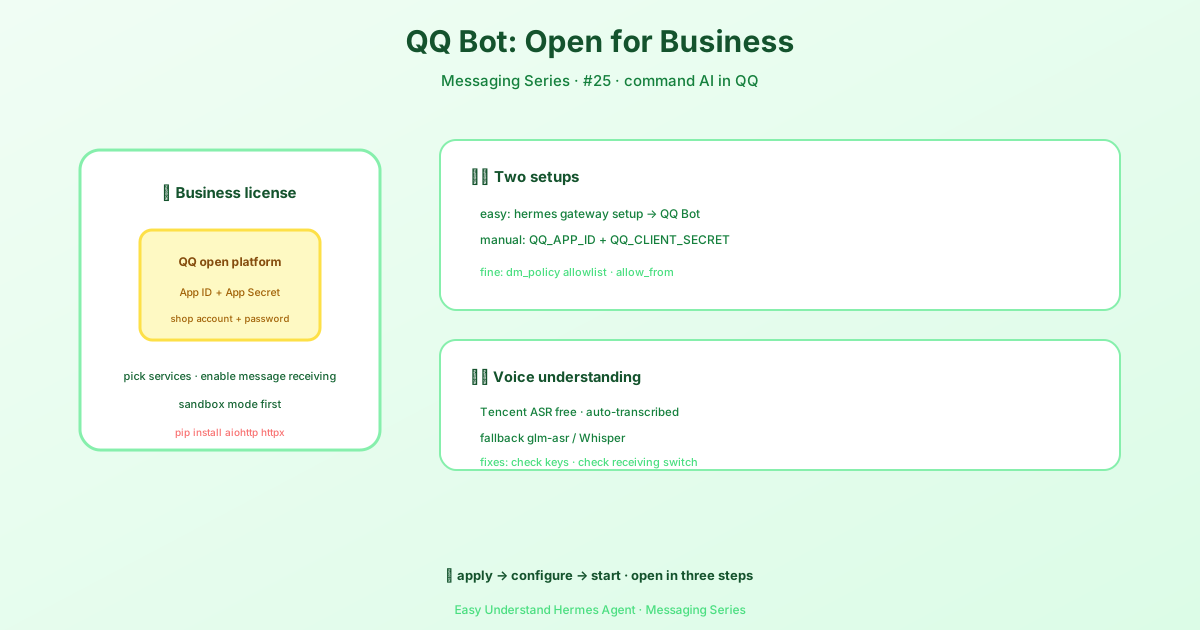
QQ Bot — AI in QQ
Ever wished your AI assistant could hang out where you chat? Now it can. Hermes Agent has a brand-new adapter that plugs directly into QQ using the official QQ Bot API (v2). That means private messages, group @-mentions, guild channels, and even voice messages — all handled right inside QQ.
Let’s walk through what’s new, how to set it up, and what you can do with it.
What the QQ Bot Adapter Does
The adapter connects Hermes to QQ through a persistent WebSocket connection to the QQ Gateway. It listens for incoming messages and replies using QQ’s REST API. You can send text and markdown replies, download images and files, and even transcribe voice messages automatically.
Here’s the cool part: voice transcription works in two stages. First, QQ’s built-in ASR (speech recognition) tries to give you text for free. If that doesn’t work, Hermes falls back to a configurable STT provider — like Zhipu’s GLM-ASR or OpenAI’s Whisper.
What You Need Before Starting
-
A QQ Bot Application — Head over to q.qq.com, create a new app, and note your App ID and App Secret. You’ll also need to enable the required intents: C2C messages, group @-messages, and guild messages. Start in sandbox mode for testing, then publish when you’re ready.
-
Two Python packages — The adapter needs
aiohttpandhttpx. Install them with:
pip install aiohttp httpxGetting Set Up
The easiest way is the interactive setup:
hermes gateway setupPick QQ Bot from the list and follow the prompts. If you prefer manual configuration, add these to your ~/.hermes/.env file:
QQ_APP_ID=your-app-id
QQ_CLIENT_SECRET=your-app-secret
Key Environment Variables
Here are the most important ones:
| Variable | What it does |
|---|---|
QQ_APP_ID |
Your QQ Bot App ID (required) |
QQ_CLIENT_SECRET |
Your QQ Bot App Secret (required) |
QQBOT_HOME_CHANNEL |
OpenID for cron/notification delivery |
QQBOT_HOME_CHANNEL_NAME |
Display name for the home channel (default: Home) |
QQ_ALLOWED_USERS |
Comma-separated user OpenIDs for DM access (default: all users) |
QQ_GROUP_ALLOWED_USERS |
Comma-separated group OpenIDs for group access |
QQ_ALLOW_ALL_USERS |
Set to true to allow all DMs |
QQ_PORTAL_HOST |
Override the portal host — set to sandbox.q.qq.com for sandbox routing |
QQ_STT_API_KEY |
API key for your voice-to-text provider |
QQ_STT_MODEL |
STT model name (default: glm-asr) |
Advanced Configuration
Want more control? Add platform settings to ~/.hermes/config.yaml:
platforms:
  qqbot:
    enabled: true
    extra:
      app_id: "your-app-id"
      client_secret: "your-secret"
      markdown_support: true       # enable QQ markdown (msg_type 2)
      dm_policy: "open"          # open | allowlist | disabled
      allow_from:
        - "user_openid_1"
      group_policy: "open"       # open | allowlist | disabled
      group_allow_from:
        - "group_openid_1"
      stt:
        provider: "zai"          # zai (GLM-ASR), openai (Whisper), etc.
        baseUrl: "https://open.bigmodel.cn/api/coding/paas/v4"
        apiKey: "your-stt-key"
        model: "glm-asr"
        timeout: 60              # seconds per transcription request (default 60)
Voice Messages (STT)
Voice transcription is automatic. Here’s how it works:
- QQ built-in ASR — QQ provides
asr_refer_textin voice message attachments, using Tencent’s own speech recognition. This is free and always tried first. - Configured STT provider — If QQ’s ASR doesn’t return text, Hermes calls an OpenAI-compatible STT API. The default is Zhipu/GLM with the
glm-asrmodel, but you can switch to OpenAI Whisper or any compatible endpoint.
Troubleshooting Common Issues
Bot disconnects immediately? This usually means invalid credentials, missing intents, or a sandbox-only bot that can’t reach real users. Double-check your App ID and Secret at q.qq.com.
Voice messages not transcribed? First, check if QQ’s built-in asr_refer_text is present in the attachment data. If you’re using a custom STT provider, verify QQ_STT_API_KEY is set correctly. Check the gateway logs for STT errors.
Messages not delivered? Verify your intents are enabled, check QQ_ALLOWED_USERS if DMs are restricted, and for group messages make sure the bot is @mentioned. Also check QQBOT_HOME_CHANNEL for cron/notification delivery.
Connection errors? Ensure aiohttp and httpx are installed, check network connectivity to api.sgroup.qq.com and the WebSocket gateway, and review gateway logs for details.
Wrapping Up
The QQ Bot adapter brings Hermes straight into one of the most popular messaging platforms in the world. With private messages, group @-mentions, guild support, and voice transcription, your AI assistant can now live where your conversations already happen.
Try it out in sandbox mode first, get comfortable with the configuration, and then let your bot loose. Happy chatting!
📖 Official Docs
This article is based on the official Hermes Agent documentation:Official docs › user-guide/messaging/qqbot