Automation Blueprints — Ready-Made Templates
Automation Blueprints — Ready-Made Templates — easy-to-understand guide based on official docs
Think of these blueprints like recipe cards for your kitchen: you don’t need to invent a dish from scratch—just follow the steps, and dinner (or in this case, an automated task) is ready.
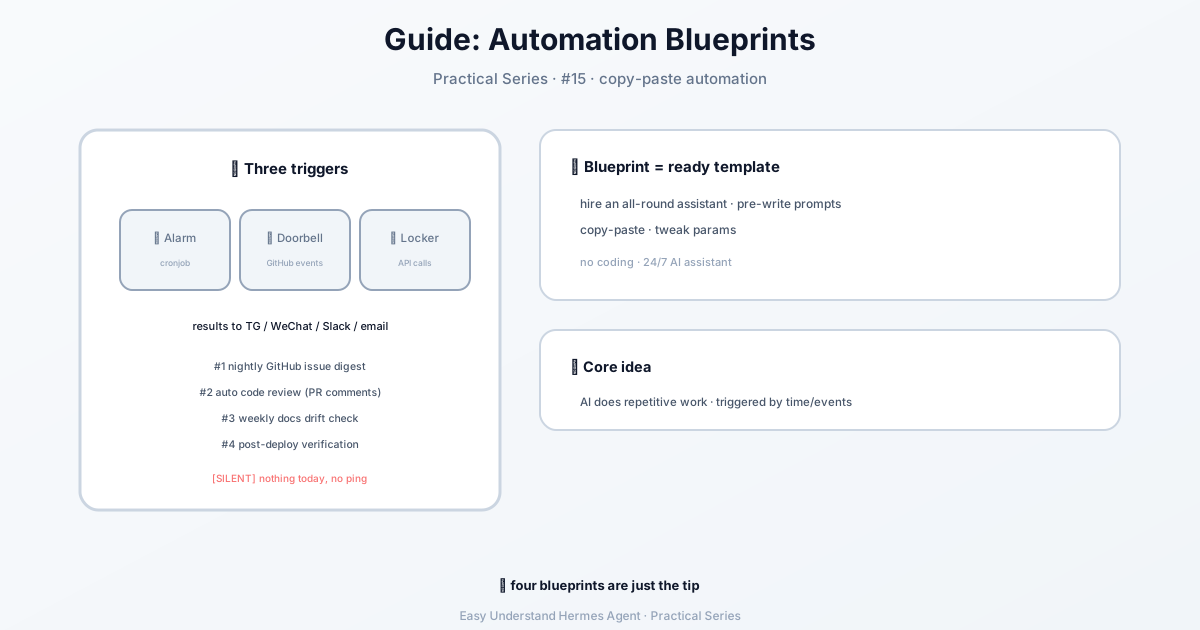
What Exactly Is an Automation Blueprint?
An automation blueprint is a pre-written set of instructions that tells Hermes Agent what to do, when to do it, and where to send the results. It’s like hiring a virtual assistant who never sleeps, never complains, and works with any AI model you choose.
The best part? You don’t need to be a programmer. If you can copy and paste, you can automate.
The Three Ways to Trigger an Automation
Before we dive in, let’s look at how you can start an automation:
| Trigger Type | How It Works | Example |
|---|---|---|
| Schedule | Runs at set times (hourly, nightly) | Every morning at 8 AM |
| GitHub Event | Fires when something happens on GitHub | A new pull request is opened |
| API Call | Another service sends a message to your agent | A form submission on your website |
All three can send results to Telegram, Discord, Slack, email, or even leave comments on GitHub.
Blueprint #1: Nightly Backlog Triage
The problem: You wake up to 30 new GitHub issues and no idea which ones matter.
The fix: This blueprint runs every night at 2 AM, sorts through new issues, and sends you a clean digest.
Here’s the command:
hermes cron create "0 2 * * *" \
  "You are a project manager triaging the NousResearch/hermes-agent GitHub repo.
  1. Run: gh issue list --repo NousResearch/hermes-agent --state open --json number,title,labels,author,createdAt --limit 30
  2. Identify issues opened in the last 24 hours
  3. For each new issue:
     - Suggest a priority label (P0-critical, P1-high, P2-medium, P3-low)
     - Suggest a category label (bug, feature, docs, security)
     - Write a one-line triage note
  4. Summarize: total open issues, new today, breakdown by priority
  Format as a clean digest. If no new issues, respond with [SILENT]." \
  --name "Nightly backlog triage" \
  --deliver telegram
That "0 2 * * *" part is just cron-speak for “every day at 2 AM.” Don’t worry about memorizing it—just copy and adjust the time.
Blueprint #2: Automatic PR Code Review
The problem: You want every pull request reviewed, but you can’t be online 24/7.
The fix: This blueprint watches for new PRs and posts a review comment automatically.
hermes webhook subscribe github-pr-review \
  --events "pull_request" \
  --prompt "Review this pull request:
  Repository: {repository.full_name}
  PR #{pull_request.number}: {pull_request.title}
  Author: {pull_request.user.login}
  Action: {action}
  Diff URL: {pull_request.diff_url}
  Fetch the diff with: curl -sL {pull_request.diff_url}
  Review for:
  - Security issues (injection, auth bypass, secrets in code)
  - Performance concerns (N+1 queries, unbounded loops, memory leaks)
  - Code quality (naming, du..."
The {pull_request.title} and similar parts are like fill-in-the-blank fields. Hermes automatically replaces them with real data from GitHub.
Why These Blueprints Work for Beginners
- They’re copy-paste ready — no need to understand every detail
- They work with any AI model — not locked to one provider
- They include error handling — the
[SILENT]response means no spam when nothing’s new - They’re customizable — change the repo name, delivery method, or time
Your First Step
Start small. Pick one boring, repetitive task you do daily—like checking for new issues or summarizing a report—and find a blueprint that matches. If none fit exactly, modify one slightly.
Practical tip: Before running any blueprint, test it manually once. Run the command without the schedule part, see if the output looks good, then add the timer. This saves you from waking up to 50 confused emails.
Automation isn’t about replacing you—it’s about giving you time back. Let Hermes handle the busywork while you focus on the interesting stuff.
Keep reading: batch processing in Hermes — When the workload is a long list instead of a schedule, batch processing in Hermes handles it in a single run.
📖 Official Docs
This article is based on the official Hermes Agent documentation:Official docs › guides/automation-blueprints