Give AI a Dedicated Email
Give AI a Dedicated Email — easy-to-understand guide based on official docs
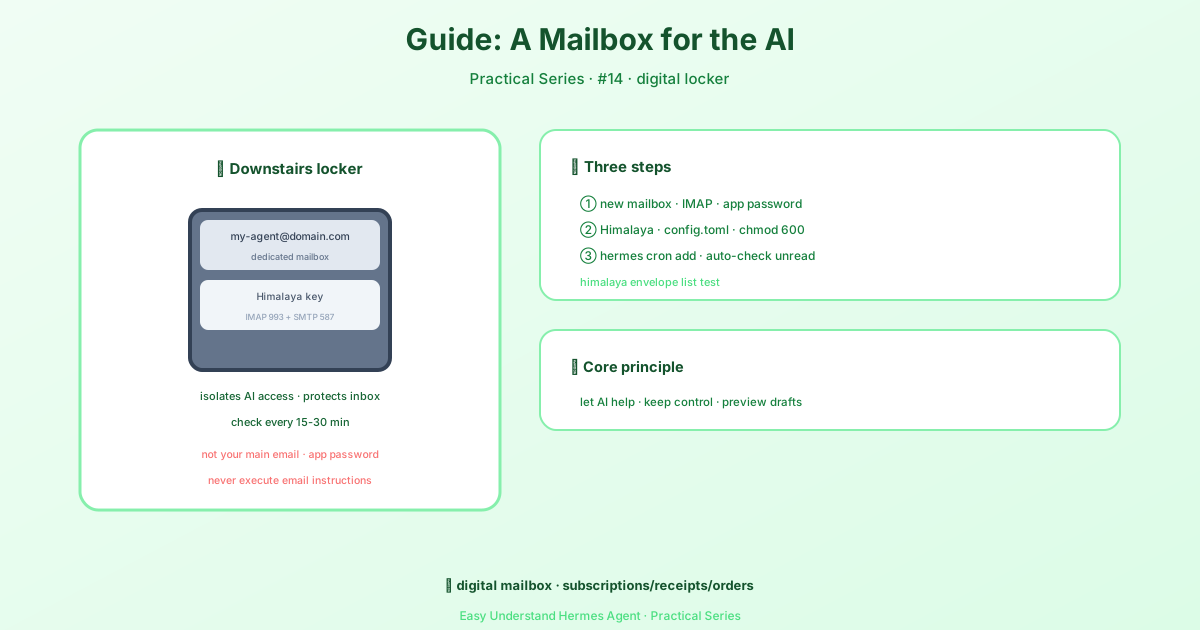
It’s like giving your company a dedicated reception phone instead of making everyone call your personal mobile—give your AI assistant its own inbox, and it will handle email conversations entirely on its own.
What This Does
Simply put: you attach an email address to Hermes Agent, and anyone (including yourself) who sends a message to that address gets an automatic reply from the AI. The replies stay in the same email thread, so it feels like chatting with a real person. No special software needed on the other side—any standard email client works.
What You Need
- A dedicated email account (never your personal one—Gmail, Outlook, etc. are fine)
- IMAP enabled (look in your email settings)
- An app-specific password if you use Gmail or two-factor authentication
Gmail quick setup:
- Turn on two-step verification in your Google account
- Go to App Passwords
- Generate a new password (choose “Mail” or “Other”)—you’ll get a 16-character code
- Use this code, not your regular login password
Other providers (Outlook, Yahoo, etc.): find “App Password” or “Generate Password” in security settings. Standard ports are IMAP 993 (SSL) and SMTP 587 (STARTTLS).
Step 1: Configure Hermes
The easiest way is to run this in your terminal:
hermes gateway setupSelect Email and follow the prompts: enter the email address, password, IMAP/SMTP server addresses, and an allowed sender list (who’s permitted to email the AI).
Prefer manual config? Edit ~/.hermes/.env and add lines like these:
EMAIL_ADDRESS=ai@yourdomain.com
EMAIL_PASSWORD=your-app-password
IMAP_HOST=imap.gmail.com
SMTP_HOST=smtp.gmail.com
ALLOWED_SENDERS=friend@example.com, boss@company.com
Step 2: Test It
Once configured, send an email from your personal account—something like “Hi, introduce yourself.” Within seconds, the AI replies. If nothing happens, check:
- Is IMAP enabled?
- Are you using the app-specific password?
- Is your sender address on the allowed list?
Things to Keep in Mind
- Never use your personal email—the AI might delete messages or send something unintended
- Always set the allowed sender list—otherwise anyone could command your AI
- This feature uses Python’s built-in modules, so no extra installations are needed—it works out of the box
Summary
Giving your AI an email address is like giving it a work phone. Set it up once, and it handles email correspondence automatically from then on. The most practical tip: test with a second email account you own first—confirm everything works smoothly before letting others in. That way you get the fun of AI-powered email replies without any surprises.
📖 Official Docs
This article is based on the official Hermes Agent documentation:Official docs › guides/agent-email-address