Run Hermes with Ollama for Free
Run Hermes with Ollama for Free — easy-to-understand guide based on official docs
Think of Hermes Agent as a smart assistant, and Ollama as its free, local brain — together they make a powerful duo without spending a dime on cloud AI.
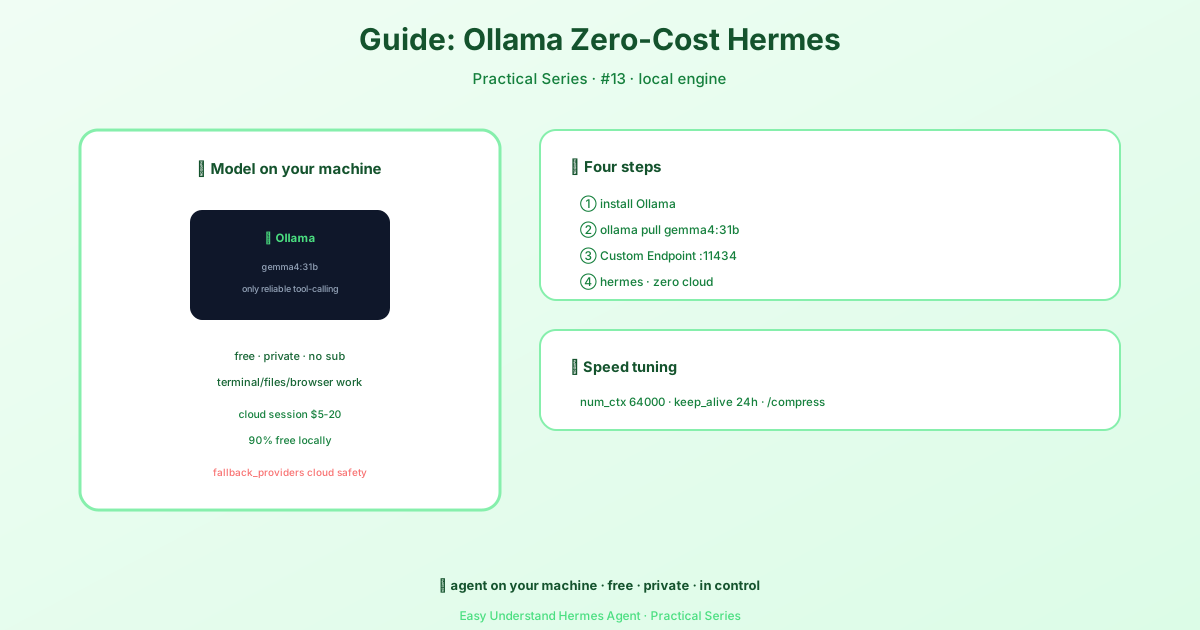
What You Need
- Hermes Agent (the assistant framework)
- Ollama (runs AI models on your computer)
- Docker (optional, but makes setup easier)
Step 1: Install Ollama
First, download and install Ollama from ollama.com. Then pull a model:
ollama pull llama3.2This downloads a small, fast model that works great with Hermes.
Step 2: Run Ollama
Start Ollama as a server so Hermes can talk to it:
ollama serveBy default, Ollama listens on port 11434. Keep this terminal window open.
Step 3: Connect Hermes to Ollama
If you’re running Hermes on your computer (not in Docker), create a config file at ~/.hermes/config.yaml:
model:
  provider: custom
  model: llama3.2
  base_url: http://127.0.0.1:11434/v1
  api_key: "none"
Important: The model name must match exactly what you pulled earlier.
Step 4: Run Hermes
Now start Hermes:
docker run -d \
  --name hermes \
  --network host \
  -v ~/.hermes:/opt/data \
  nousresearch/hermes-agent gateway run
Note: Using
--network hoston Linux lets Hermes see Ollama at127.0.0.1. On Mac/Windows, usehost.docker.internal:11434instead.
Step 5: Test It
Check that Hermes can reach Ollama:
docker exec hermes curl -s http://127.0.0.1:11434/v1/modelsYou should see a list with llama3.2. If not, double-check that Ollama is still running.
Troubleshooting Tips
- “provider ‘ollama’ has no endpoint configured”? This happens when you run
hermes chat --provider ollama(orvllm) and no endpoint is set for that alias anywhere — noproviders.ollama.base_url, nomodel.base_url. Hermes refuses to send the request rather than silently fall back to a cloud key that happens to be set. Add the endpoint:
providers:
  ollama:
base_url: "http://localhost:11434/v1"- Can’t connect? Make sure Ollama is listening on
0.0.0.0, not just127.0.0.1. RunOLLAMA_HOST=0.0.0.0 ollama serveif needed. - Model not found? The name in your config must match the one you pulled exactly.
- Port conflict? Change Ollama’s port with
OLLAMA_PORT=11435and update your config. - Tool calls show up as text? If the model prints raw JSON like
{"name": "web_search", ...}instead of actually running the tool, that’s usually the server, not the model — tool calling isn’t enabled or the tool-call format isn’t parsed. See the per-server fix table in Tool calls appear as text instead of executing (llama.cpp needs--jinja, vLLM needs--enable-auto-tool-choice --tool-call-parser hermes, and so on).
Why This Rocks
- Free forever — no API bills
- Private — your data stays on your machine
- Offline capable — works without internet
Final Tip
Start with a small model like llama3.2 (3B) to test everything works. Once comfortable, try larger models like qwen2.5:7b for better responses — just remember to update the model name in your config.
You now have a fully local, free AI assistant running with Hermes and Ollama. Happy building!
📖 Official Docs
This article is based on the official Hermes Agent documentation:Official docs › guides/local-ollama-setup