Connect AWS Bedrock
Connect AWS Bedrock — easy-to-understand guide based on official docs
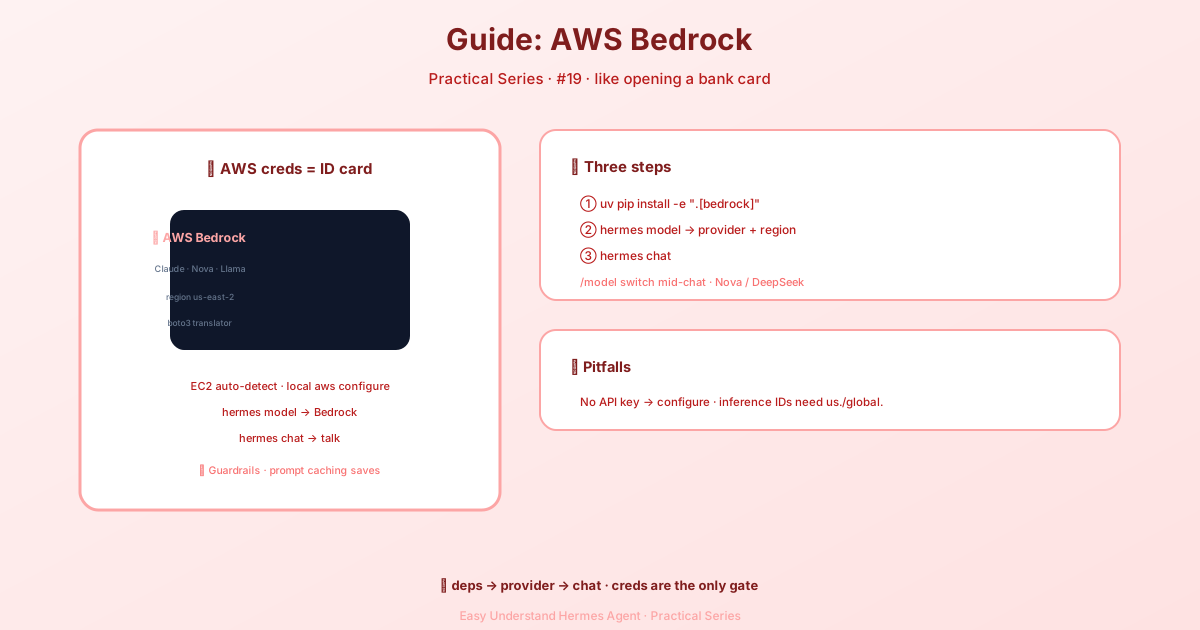
Connect AWS Bedrock
If you’re building on AWS, you already know the drill: IAM roles, regions, and a dozen services that all need to talk to each other. The good news? Hermes Agent now treats Amazon Bedrock as a first-class citizen. That means you get the full Bedrock ecosystem — IAM authentication, Guardrails, cross-region inference profiles, and every foundation model — without fighting a separate API for each one.
How Hermes routes your models
Here’s the clever part. Hermes doesn’t force every model through the same door. Instead, it picks the best API for each model family:
| Model family | API route | Why |
|---|---|---|
| Anthropic Claude | Anthropic SDK (AnthropicBedrock) |
Prompt caching, thinking budgets, adaptive thinking — features not exposed via Converse |
| OpenAI GPT-5.5 / GPT-5.6 (Sol, Terra, Luna) | Bedrock Mantle OpenAI Responses endpoint | These models are Mantle-only — their model cards list bedrock-runtime/Converse as unsupported |
| Everything else (Nova, DeepSeek, Llama, GPT-OSS, …) | Native Converse API (bedrock-runtime) |
Full Bedrock feature set: Guardrails, inference profiles, streaming |
The best part? All three routes share the same AWS credential chain and region resolution. No separate configuration needed. Requests to the Mantle endpoint are authenticated with AWS_BEARER_TOKEN_BEDROCK when set, or SigV4-signed via the standard boto3 credential chain otherwise.
What you need to get started
Before you dive in, make sure you have:
- AWS credentials — any source supported by the boto3 credential chain:
- IAM instance role (EC2, ECS, Lambda — zero config)
AWS_ACCESS_KEY_ID+AWS_SECRET_ACCESS_KEYenvironment variablesAWS_PROFILEfor SSO or named profilesaws configurefor local development
- boto3 — install with
cd ~/.hermes/hermes-agent && uv pip install -e ".[bedrock]" - IAM permissions — at minimum:
bedrock:InvokeModelandbedrock:InvokeModelWithResponseStream(for inference)bedrock:ListFoundationModelsandbedrock:ListInferenceProfiles(for model discovery)bedrock:GetInferenceProfile— only needed ifmodel.defaultis an application inference profile ARN, so Hermes can size the context window from the wrapped model
Pro tip for EC2 / ECS / Lambda: Just attach an IAM role with AmazonBedrockFullAccess and you’re done. No API keys, no .env configuration — Hermes detects the instance role automatically.
Quick start
Getting up and running takes about a minute:
# Install with Bedrock support
cd ~/.hermes/hermes-agent && uv pip install -e ".[bedrock]"

# Select Bedrock as your provider
hermes model
# → Choose "More providers..." → "AWS Bedrock"
# → Select your region and model

# Start chatting
hermes chat
After running hermes model, your ~/.hermes/config.yaml will look something like this:
model:
  default: us.anthropic.claude-sonnet-4-6
  provider: bedrock
  base_url: https://bedrock-runtime.us-east-2.amazonaws.com

bedrock:
  region: us-east-2
Configuration essentials
Region — Set it in any of these ways (highest priority first):
bedrock.regioninconfig.yamlAWS_REGIONenvironment variableAWS_DEFAULT_REGIONenvironment variable- Default:
us-east-1
Guardrails — Want to apply Amazon Bedrock Guardrails to all model invocations? Just add this:
bedrock:
  region: us-east-2
  guardrail:
    guardrail_identifier: "abc123def456"  # From the Bedrock console
    guardrail_version: "1"                # Version number or "DRAFT"
    stream_processing_mode: "async"       # "sync" or "async"
    trace: "disabled"                     # "enabled", "disabled", or "enabled_full"
Guardrails are attached on the Converse route and on the Claude route, so prompt caching and thinking are preserved. A blocked request shows up as a content-filter refusal rather than model text, and stream_processing_mode only applies to Converse. Note that AWS doesn’t apply Guardrails to the Mantle Responses endpoint used by openai.gpt-5.x models (AWS docs) — pick a Converse-served model if you need a guardrail.
Model discovery — Hermes auto-discovers available models via the Bedrock control plane. You can customize what shows up:
bedrock:
  discovery:
    enabled: true
    provider_filter: ["anthropic", "amazon"]  # Only show these providers
    refresh_interval: 3600                     # Cache for 1 hour
Smart features under the hood
Prompt caching — Hermes automatically applies prompt caching on the Bedrock Converse API path by inserting cachePoint markers after the system prompt, tool definitions, and the latest message. Markers are only added for models on a known-good allowlist (Anthropic Claude and Amazon Nova model IDs) to avoid ValidationException errors. No configuration needed — cache reads and writes show up in usage accounting.
Context-window probing — For models whose context window isn’t in Hermes’ static table, Hermes can probe the real limit by sending oversized requests at fixed tiers (~1.3M and ~2.2M tokens) and parsing the maximum reported in Bedrock’s length-validation error. Stale cached entries that under-report a model’s window are dropped automatically.
Application inference profiles — If your model.default is an application inference profile ARN (something like arn:aws:bedrock:us-west-2:123456789012:application-inference-profile/abcdef123456), the ARN itself doesn’t name a model, so Hermes calls bedrock:GetInferenceProfile in that ARN’s region and sizes the context window from the model the profile wraps. Without that permission, a 128,000-token default applies and a warning names the profile — you can also set model.context_length explicitly to override either way.
Available models
Bedrock models use inference profile IDs for on-demand invocation. The hermes model picker shows these automatically, with recommended models at the top:
| Model | ID | Notes |
|---|---|---|
| Claude Sonnet 4.6 | us.anthropic.claude-sonnet-4-6 |
Recommended — best balance of speed and capability |
| Claude Opus 4.6 | us.anthropic.claude-opus-4-6-v1 |
Most capable |
| Claude Haiku 4.5 | us.anthropic.claude-haiku-4-5-20251001-v1:0 |
Fastest Claude |
| OpenAI GPT-5.6 Sol | openai.gpt-5.6-sol |
OpenAI frontier model (via Bedrock Mantle) |
| OpenAI GPT-5.6 Terra | openai.gpt-5.6-terra |
Balanced (via Bedrock Mantle) |
| OpenAI GPT-5.6 Luna | openai.gpt-5.6-luna |
Fast, affordable (via Bedrock Mantle) |
| OpenAI GPT-5.5 | openai.gpt-5.5 |
Previous OpenAI flagship (via Bedrock Mantle) |
| Amazon Nova Pro | us.amazon.nova-pro-v1:0 |
Amazon’s flagship |
| Amazon Nova Micro | us.amazon.nova-micro-v1:0 |
Fastest, cheapest |
| DeepSeek V3.2 | deepseek.v3.2 |
Strong open model |
| Llama 4 Scout 17B | us.meta.llama4-scout-17b-instruct-v1:0 |
Meta’s latest |
That’s it — you’re ready to build on Bedrock with Hermes. Whether you’re running on EC2 with zero config or juggling multiple AWS profiles, Hermes handles the heavy lifting so you can focus on what matters: your actual application.
Keep reading: Hermes on Azure Foundry — On the Microsoft side, Hermes on Azure Foundry is the equivalent hosted route.
📖 Official Docs
This article is based on the official Hermes Agent documentation:Official docs › guides/aws-bedrock