Skills System — AI Gets Smarter with Use
Skills System — AI Gets Smarter with Use — easy-to-understand guide based on official docs
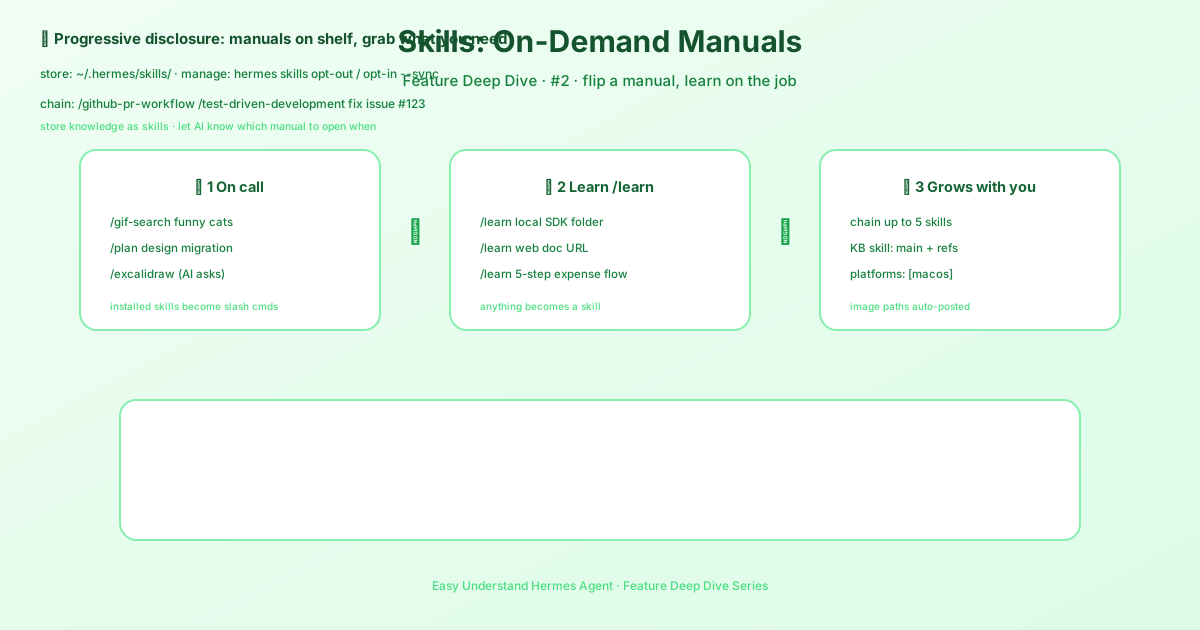
Skills System — AI Gets Smarter with Use
Remember when you first started a new job? Everything felt slow. You had to look up every command, ask for help constantly, and double-check every step. But after a few weeks, things clicked. You knew the shortcuts, the quirks, and the best ways to get things done.
That’s exactly how Hermes Agent’s Skills System works. It’s the difference between an AI that fumbles through tasks and one that gets genuinely better the more you use it.
What Are Skills?
Think of skills as reusable playbooks for your AI agent. Instead of figuring out how to do something from scratch every single time, Hermes remembers the steps, the tools, and the best practices. The more you use a skill, the sharper it gets.
This isn’t just about saving keystrokes. It’s about building an AI that understands your workflow, your preferences, and your shortcuts. It’s like having an assistant who’s been with you for years, not days.
The Core Idea: Learn Once, Use Forever
Here’s the simple mental model:
- Without skills: You ask Hermes to do something. It figures it out. Next time, it figures it out all over again. Same effort, same time, same potential for mistakes.
- With skills: You ask Hermes to do something. It recognizes the task, pulls up the proven playbook, and executes it cleanly. Faster, smarter, and more consistent every single time.
That’s the “gets smarter with use” part. It’s not magic—it’s just good memory.
Getting Started with Skills
Before you dive into skills, make sure your base setup is solid. The official guide is very clear about this: if Hermes can’t complete a normal chat, don’t add more features yet. Get one clean conversation working first, then layer on skills, gateway, cron, voice, or routing.
Once your basic chat works, here’s how to bring skills into the picture:
1. Start with the Right Setup
When you run hermes setup on a fresh install, you’ll see three modes:
- Quick Setup (Nous Portal) — The recommended fast path. Free OAuth login, no API keys, and it sets up a model plus the Tool Gateway tools automatically.
- Full Setup — You walk through every provider, tool, and option yourself. Bring your own keys.
- Blank Slate — Everything starts off except the bare minimum: provider & model, File Operations, and Terminal. No web, no browser, no skills, no plugins. This is for people who want total control over what loads.
If you pick Blank Slate, you can re-enable skills later with:
hermes skills opt-in --syncThis seeds your agent with the default skill library and gets you ready to build your own.
2. Choose Your Provider First
The single most important setup step is picking your AI provider. Use:
hermes modelThis walks you through the choice interactively. The easiest path is Nous Portal—one subscription covers 300+ models plus the Tool Gateway (web search, image generation, TTS, cloud browser). On a fresh install, you can even do it all in one command:
hermes setup --portalThat logs you in, sets Nous as your provider, and turns on the Tool Gateway in one shot.
Other solid options include OpenAI Codex (if you have a ChatGPT or Codex subscription), Anthropic (Claude models), OpenRouter (multi-provider routing), and several others. The key is to get one provider working cleanly before you add complexity.
3. Verify, Then Layer On
Here’s the golden rule from the official docs: if Hermes cannot complete a normal chat, do not add more features yet.
Get one clean conversation working first. Then, and only then, start layering on skills, gateway, cron, voice, or routing. This prevents the classic “it installed, but it still does nothing” trap.
Where Skills Live
By default, every skill lives in ~/.hermes/skills/ — the primary directory and source of truth. Bundled skills are copied there on a fresh install, and hub-installed and agent-created skills go there too. You can also point Hermes at external skill directories — additional folders scanned alongside the local one — and if you want agent-created skills to land somewhere else, like a shared “brain” directory or a git-tracked repo, set create_dir under the skills section:
skills:
  create_dir: /opt/brain/skills
New skills are then created under create_dir instead of the local skills dir, and they’re scanned alongside it — appearing in the skill index, skills_list, skill_view, and slash commands like any local skill. Everything else stays local: existing skills are still modified in place wherever they live, and bundled skill sync, the hub, and the curator keep operating on the profile-local dir.
The Bottom Line
The Skills System transforms Hermes from a generic AI tool into a personalized productivity partner. It learns your patterns, remembers your preferences, and gets faster with every interaction.
Start simple. Get a working chat. Then let skills do their thing—and watch your AI get smarter with every use.
Want to see it in action? Check out the Hermes Agent Tutorials & Use Cases playlist on YouTube, or dive straight into the full documentation for more advanced patterns.
📖 Official Docs
This article is based on the official Hermes Agent documentation:Official docs › getting-started/quickstart