Kanban Tutorial — Multi-Agent Collaboration
Kanban Tutorial — Multi-Agent Collaboration — easy-to-understand guide based on official docs
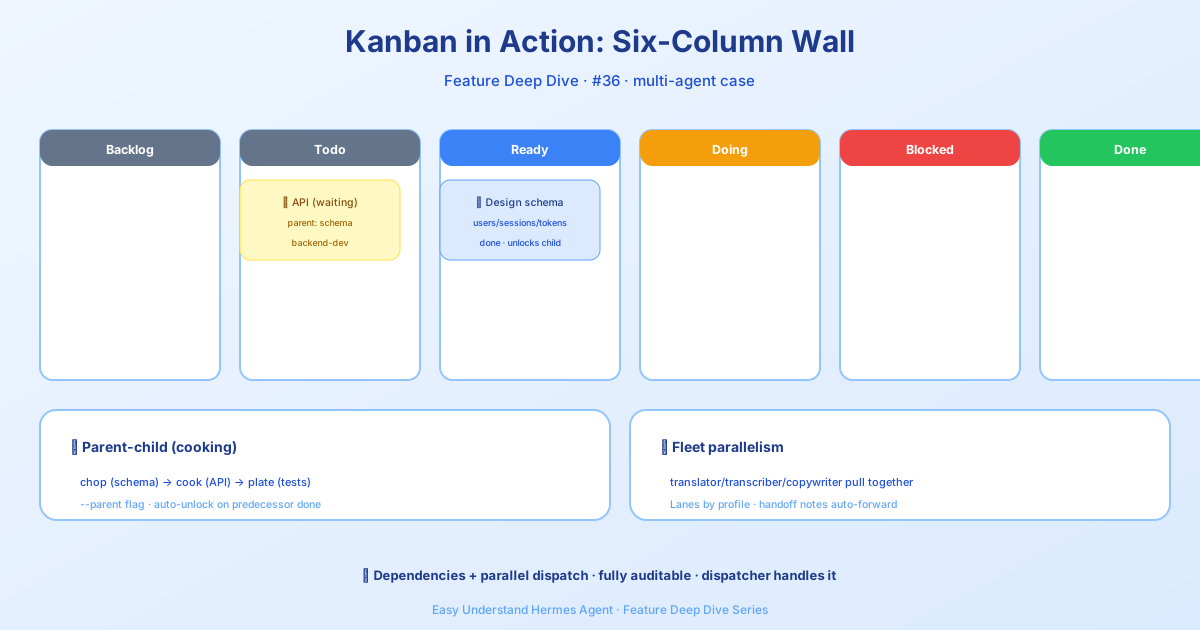
Imagine a busy kitchen where every chef has a different specialty. If you had to shout instructions one at a time and wait for each dish to finish before starting the next, service would collapse. Hermes Kanban is the whiteboard on that kitchen wall — every task, its status, and who’s stuck on what is written down for anyone to see at a glance.
What Is Kanban?
Kanban is a shared task board that all Hermes agents can read from and write to. Each task is a simple record stored in a single file: ~/.hermes/kanban.db. Every agent is an independent worker with its own identity and memory — not a nameless temp, but a regular employee who knows the house rules.
Two Doors, One Room
The board has two interfaces, but they point to the same database, so nothing gets out of sync:
- Agents use tools — the model reads and updates tasks via
kanban_*tools likekanban_show(view task),kanban_complete(finish task), andkanban_block(mark as stuck). There’s also a built-in review loop:kanban_request_reviewhands a card to a reviewer, andkanban_request_changessends it back with feedback. - You use the terminal — type
hermes kanban ...or use/kanban ...slash commands, or open the web dashboard.
# Create a task
hermes kanban create "Research competitor pricing" --assign researcher-1

# List all tasks
hermes kanban list

# Mark a task complete
hermes kanban complete 42
How Is This Different from delegate_task?
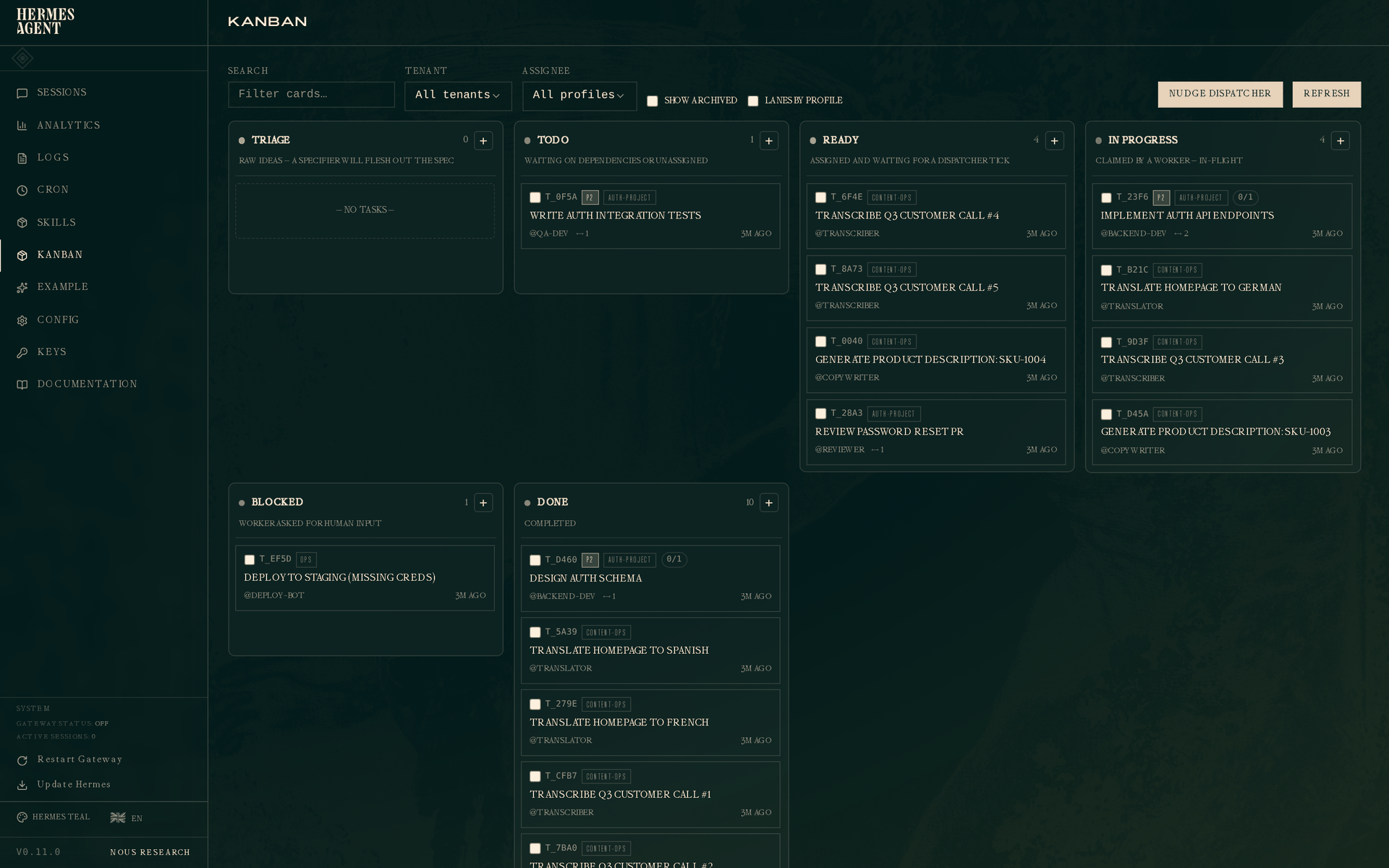
delegate_task is like a phone call: you ring one person, wait for their answer, then hang up. Kanban is like a group chat: you post a message, everyone sees it, whoever is free picks it up, and reports back when done.
| Aspect | delegate_task |
Kanban |
|---|---|---|
| Work style | Synchronous — wait for result | Fire-and-forget |
| Agent identity | Anonymous temp | Named, with memory |
| Failure handling | Lost on failure | Mark blocked, retry later |
| Multi-agent | One at a time | Multiple agents in relay |
What Is Kanban Good For?
The official docs highlight several patterns:
- Research pipelines: multiple researchers search in parallel → an analyst summarizes → a writer drafts
- Scheduled tasks: auto-generate a morning briefing, accumulating into a long-term log
- Digital twins: persistent assistants like
inbox-triagethat learn your preferences over time - Engineering: break down tasks → parallel development → code review → merge
Key Commands Cheat Sheet
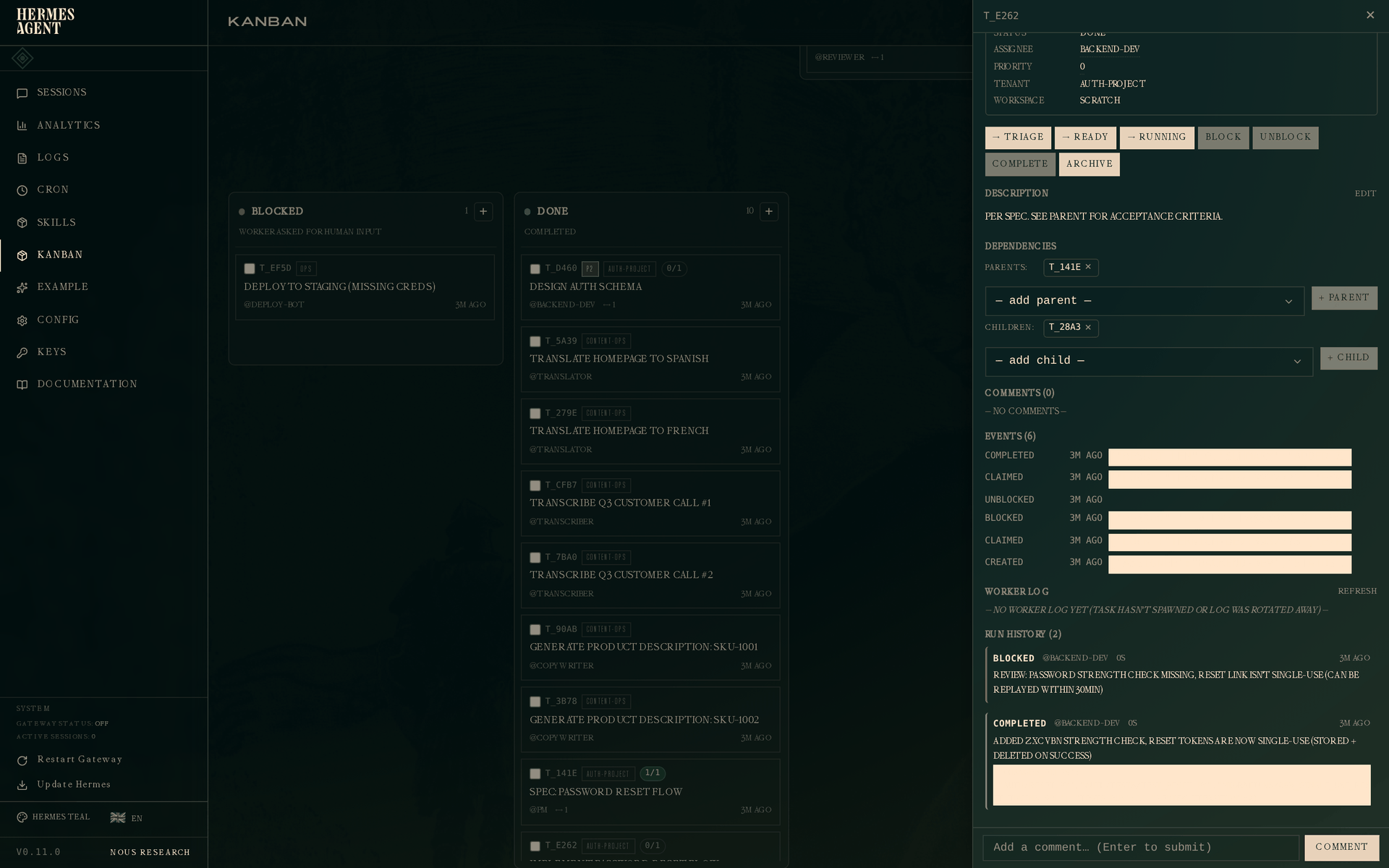
# Add a comment (humans can jump in)
hermes kanban comment 42 "Price data needs updating to latest version"

# Mark as blocked (waiting for external input)
hermes kanban block 42 "Waiting for client to confirm requirements"

# Unblock
hermes kanban unblock 42

# Show task details
hermes kanban show 42
Pro Tip: Let Humans Intervene
The best part of Kanban is that humans can step in anytime. When an agent gets stuck, it marks the task block. You see it, leave a comment, or unblock it directly. It’s like telling a chef “there’s more fish in the fridge” — they pick up and keep going.
Two Things Worth Knowing Before You Start
Workers get a budget checkpoint. Dispatcher-owned workers receive one checkpoint notice near 90% of their finite iteration budget (tune it with agent.budget_warning_ratio), saved in the session transcript before the next request. The notice is a reporting opportunity, not a guarantee — the hard cap, toolless final summary, and consecutive-failure circuit breaker are unchanged, and ordinary conversations and delegated children don’t inherit it. A commit or diff alone never automatically completes a task.
PR work needs a completion contract. Declare it at creation with --completion-contract OWNER/REPO (or an exact PR URL for existing work); kanban_create accepts the same completion_contract. Use local-only for intentionally local work — existing and undeclared cards default to that. After publishing, pass metadata.published_pr to completion, and the first matching URL binds the card permanently. The shared complete_task boundary checks required branch-protection and ruleset contexts, so missing, pending, failed, cancelled, timed-out, stale, skipped or neutral required evidence cannot complete the card — and a repository without required checks needs a local-only contract. Rejection keeps the card and workspace active; fix the failures and retry, or use kanban_block when human action is needed.
Summary
Kanban turns multi-agent collaboration from “phone calls” into “watching the whiteboard” — more flexible, more reliable, more transparent. Every task is recorded, every failure can be retried, and anyone (human or agent) can pick up where another left off.
Try this: start small — create two agents (say researcher and writer). Have the researcher investigate a topic and post findings to the board. The writer sees the new task, picks it up, and writes the article. You’ll feel the magic of whiteboard collaboration within minutes.
📖 Official Docs
This article is based on the official Hermes Agent documentation:Official docs › user-guide/features/kanban-tutorial