Webhooks — Universal Event Entry
Webhooks — Universal Event Entry — easy-to-understand guide based on official docs
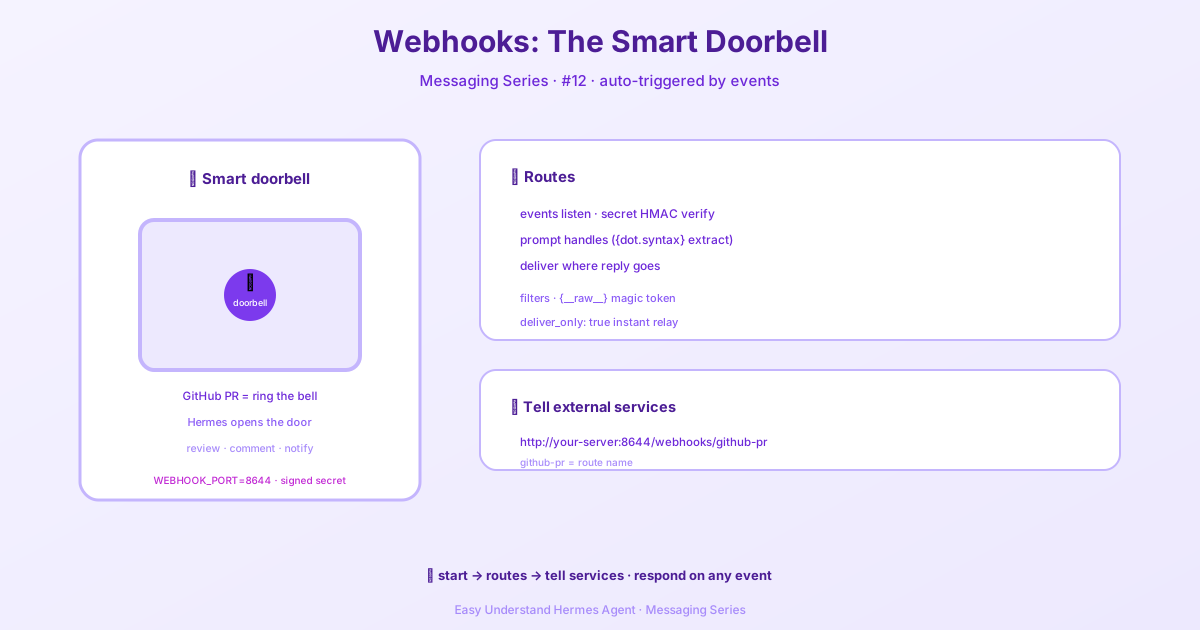
Webhooks — Universal Event Entry
Imagine this: a developer opens a pull request on GitHub, and within seconds, your AI agent has already reviewed the code and posted a comment. Or a payment fails on Stripe, and your agent automatically notifies your team on Telegram. That’s the magic of webhooks — they let external services knock on your agent’s door and say, “Hey, something just happened, please handle it.”
What Are Webhooks?
Webhooks are like a doorbell for your applications. Instead of constantly checking if something changed (polling), you simply wait for the doorbell to ring. When GitHub, GitLab, JIRA, Stripe, or any other service sends an HTTP POST request to your webhook endpoint, your Hermes agent wakes up, processes the event, and takes action.
The best part? Your agent can respond in many ways — posting comments on PRs, sending messages to Telegram or Discord, or simply logging the result for later review.
Quick Start
Getting started is surprisingly simple:
- Enable the webhook adapter via
hermes gateway setupor environment variables - Define routes in
config.yamlor create them dynamically withhermes webhook subscribe - Point your service at
http://your-server:8644/webhooks/<route-name>
That’s it. Your agent is now on call.
Setting Up the Gateway
You have two ways to enable webhooks, pick whichever feels more comfortable.
Option 1: The Setup Wizard
hermes gateway setupFollow the prompts to enable webhooks, choose a port, and set a global HMAC secret. The wizard handles all the boring configuration for you.
Option 2: Environment Variables
Add these lines to ~/.hermes/.env:
WEBHOOK_ENABLED=true
WEBHOOK_PORT=8644        # default
WEBHOOK_SECRET=your-global-secret
Once the gateway is running, verify it’s alive:
curl http://localhost:8644/healthYou should see:
{"status": "ok", "platform": "webhook"}Configuring Routes
Routes are the heart of webhook handling. Each route tells your agent how to deal with events from a specific source. Think of them as personalized instructions for different types of visitors.
Here’s what you can configure per route:
| Property | What it does |
|---|---|
events |
Which event types to accept (e.g., ["pull_request"]). Leave empty to accept everything. |
secret |
HMAC secret for signature validation. Use "INSECURE_NO_AUTH" only for testing. |
profile |
Which profile can execute this route (useful with multiplexing). Dynamic subscriptions set it with hermes webhook subscribe <name> --route-profile coder. |
prompt |
Template string using dot-notation like {pull_request.title}. Omit to dump the full JSON payload. |
filters |
Declarative conditions to ignore unwanted payloads before the agent runs. |
script |
A filter/transform script that can modify the payload before templating. |
skills |
Which skills to load for this agent run. |
toolsets |
Which tools the agent can use (replaces the default webhook toolset). Manual config edit only — not settable via hermes webhook subscribe. |
deliver |
Where to send the response: github_comment, telegram, discord, slack, log, and more. |
deliver_extra |
Extra delivery details like repo name or chat ID. |
deliver_only |
Skip the agent entirely and deliver the rendered prompt as-is. Zero LLM cost! Requires a real delivery target (not log). |
cron_job |
Fire an existing cron job (by ID or name) on each event instead of starting a fresh webhook session. The rendered prompt becomes transient per-run context. Mutually exclusive with deliver_only. |
coalesce |
Debounce rapid events on the same entity into one agent run. Needs a key (e.g. pull_request.number), plus optional window_seconds (default 30) and max_wait_seconds (default 300). Mutually exclusive with deliver_only and cron_job. |
A Real-World Example
Let’s look at a practical setup. Here’s a route that reviews pull requests:
platforms:
  webhook:
    enabled: true
    extra:
      port: 8644
      secret: "global-fallback-secret"
      routes:
        github-pr:
          events: ["pull_request"]
          secret: "github-webhook-secret"
          prompt: |
            Review this pull request:
            Repository: {repository.full_name}
            PR #{number}: {pull_request.title}
            Author: {pull_request.user.login}
            URL: {pull_request.html_url}
            Diff URL: {pull_request.diff_url}
            Action: {action}
          skills: ["github-code-review"]
          deliver: "github_comment"
          deliver_extra:
            repo: "{repository.full_name}"
            pr_number: "{number}"
And here’s a route that sends a Telegram notification only when someone pushes to the main branch:
        deploy-notify:
          events: ["push"]
          secret: "deploy-secret"
          prompt: "New push to {repository.full_name} branch {ref}: {head_commit.message}"
          filters:
            - field: "ref"
              equals: "refs/heads/main"
          deliver: "telegram"
Smart Filtering
The filters feature is particularly handy. Providers often send a flood of events, but you only care about a few. Filters let you ignore the noise before your agent even wakes up. Non-matching payloads get a polite {"status":"ignored","reason":"filter"} response with HTTP 200 — no wasted compute, no unnecessary LLM calls.
Event Coalescing
Some providers fire a burst of events for the same thing — five quick pushes to one pull request, a flurry of edits to one ticket. Each event has its own delivery ID, so idempotency can’t suppress them and every one wakes a separate agent run.
Set coalesce on a route to merge these into a single run per entity:
          coalesce:
            key: "{repository.full_name}#{pull_request.number}"
            window_seconds: 30      # quiet window (default 30)
            max_wait_seconds: 300   # dispatch cap (default 300)
Each new event replaces the pending one and resets the quiet-window timer. When window_seconds pass with no new event, one agent run fires using the latest payload. max_wait_seconds caps total buffering so a steady stream can’t postpone dispatch forever. If the key doesn’t resolve for an event, that event is dispatched immediately instead of being coalesced. Coalesced requests return HTTP 202 with {"status": "coalesced"}, and pending groups are flushed (not dropped) when the adapter disconnects. Coalescing works on agent-mode routes only — combining it with deliver_only or cron_job is rejected at startup.
Event-Triggered Cron Jobs
Set cron_job on a route to fire an existing cron job whenever an event arrives, instead of starting a fresh webhook session. The event still passes the same auth, rate limiting, filtering, and idempotency checks; the route’s rendered prompt is injected into the job as transient per-run context (the job’s stored prompt is never changed). The job fires through the same at-most-once claim the scheduler uses, so a webhook burst can’t double-fire a job that’s already running, and the job’s own delivery target receives the output.
Direct Delivery Mode
Here’s a clever trick: set deliver_only: true and your agent never runs at all. The rendered prompt template becomes the literal message that gets delivered. This means sub-second delivery with zero LLM cost. Perfect for simple notifications that don’t need AI reasoning.
Security Note
Remember: authenticated doesn’t mean trusted. Payload fields from webhooks are untrusted data. Always validate and sanitize anything you use in prompts or templates. Your agent should treat webhook content like user input — with healthy skepticism.
The Bottom Line
Webhooks turn your Hermes agent into a responsive assistant that reacts to the world in real time. Whether you’re automating code reviews, sending deployment notifications, or building complex event-driven workflows, the webhook adapter makes it all possible with just a few lines of YAML.
📖 Official Docs
This article is based on the official Hermes Agent documentation:Official docs › user-guide/messaging/webhooks