Text-to-Speech — AI Speaks
Text-to-Speech — AI Speaks — easy-to-understand guide based on official docs
Remember the first time your phone’s navigation calmly said, “Turn right in 300 meters”? That gentle voice isn’t magic — it’s Text-to-Speech (TTS), the technology that turns written words into spoken ones. Today, we’re flipping the switch and making Hermes Agent talk back to you.
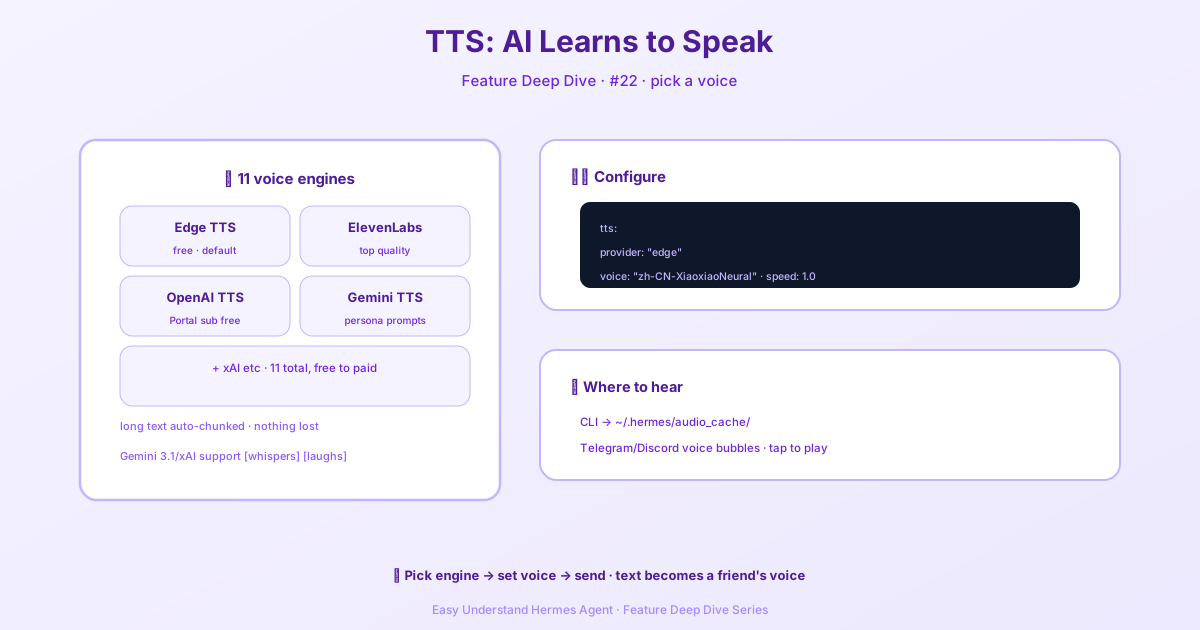
Why Bother Making AI Speak?
Picture this: your hands are covered in flour while baking, but you want to hear today’s headlines. Or you’re driving, eyes glued to the road, yet need to catch up on messages. TTS makes these moments effortless. It’s not just about reading text aloud — you can pick different voices, tones, and even emotions, making the AI sound less robotic and more like a helpful companion.
Step 1: Set Up Your Voice Engine
Getting Hermes Agent to talk is surprisingly simple. Open your configuration file and locate the tts section:
tts:
  provider: "edge"                 # Choose your speech engine
  edge:
    voice: "en-US-AriaNeural"      # Pick a voice
Two choices matter here:
- provider: Which speech service you want (free or paid)
- voice: The specific voice you prefer (Edge alone offers 322 voices across 74 languages)
You can also set a global speed multiplier that applies to every provider, and each provider can override it with its own speed setting.
Step 2: From Free to Professional — Pick Your Engine
Hermes Agent supports several speech engines, like choosing between different speaker brands:
| Engine | Strength | Best For |
|---|---|---|
| edge | Completely free, many voices | Beginners, daily use |
| elevenlabs | Most realistic voices | High-quality podcasts |
| openai | Supports emotion instructions | Nuanced emotional delivery |
| piper | Runs locally, privacy-friendly | Offline use |
My advice? Start with edge — zero cost, decent quality. Think of it as learning to ride a regular bicycle before buying a racing bike.
Step 3: Advanced Trick — Make AI Speak with Feeling
If you choose the OpenAI engine, you can add a director’s touch:
openai:
  model: "gpt-4o-mini-tts"
  voice: "alloy"                 # Options: alloy, echo, fable, etc.
  # You can temporarily set the tone per request
  # Example: instructions: "Speak in a gentle tone, slow down"
This means you can say, “Read this sports news with excitement,” and the AI will genuinely sound excited! It’s like giving an actor a script — you set the emotion, they deliver the performance.
If you point Hermes at an OpenAI-compatible TTS server instead of the official API, two extra settings help. pcm_sample_rate tells Hermes the streaming audio’s sample rate when the server doesn’t report one (the official API uses 24000, and reported rates are honored automatically). And consent_attestation supplies the text some self-hosted servers require before they’ll accept a cloned voice.
My Practical Tips
- Try free
edgefirst — it handles most scenarios well; don’t rush to spend money - Mind voice licensing — if you plan commercial use (like videos), check the rights for your chosen voice
- Match voice to context — use a steady voice for news, a lively one for children’s stories
Wrapping Up
Text-to-Speech upgrades Hermes Agent from “typing replies” to “speaking conversations.” Configuration takes just minutes, but the experience boost is massive. Whether you’re building a personal assistant, an audiobook, or just making your app friendlier, TTS is the magic switch that brings AI to life.
Now go ahead — have the AI read you an interesting article. You’ll discover that technology can truly make life sound better.
📖 Official Docs
This article is based on the official Hermes Agent documentation:Official docs › user-guide/features/tts