Welcome Back to the Automation Party
Tutorial 21: Scheduled Tasks (Cron) — easy-to-understand guide based on official docs
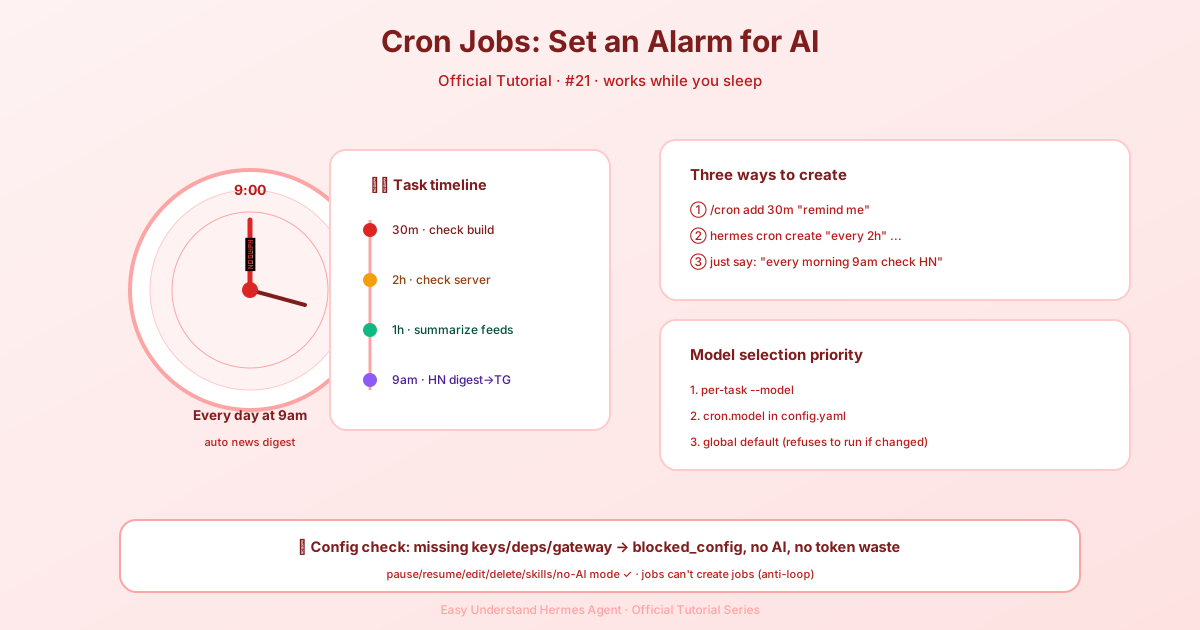
Welcome Back to the Automation Party
Remember when we set up your first daily briefing bot? That was just the appetizer. Now it’s time for the main course: five real-world automation patterns that will make your life genuinely easier. No PhD in computer science required — just a willingness to let Hermes handle the boring stuff.
The Golden Rule of Cron Jobs
Before we dive in, here’s the one thing you need to remember: cron jobs run in fresh sessions with zero memory of your current chat. Think of it like a new coworker showing up every time — you have to give them complete instructions from scratch. Your prompts must be completely self-contained.
And here’s a bonus tip: if you don’t need the AI brain at all, you have two zero-token options. Use a script-only cron job for recurring watchdogs (like memory or disk alerts), or use hermes send to pipe output from scripts that are already running. Same scheduler, no LLM, no tokens spent.
Pattern 1: Website Change Monitor
Ever wished you’d know the moment a pricing page changes or a product goes back in stock? This pattern watches any URL and only bothers you when something actually changes.
The secret weapon is the script parameter. A Python script runs before each execution, and its stdout becomes context for the agent. The script does the mechanical work (fetching, diffing); the agent does the reasoning (is this change interesting?).
Create a monitoring script at ~/.hermes/scripts/watch-site.py that fetches a URL, hashes the content, and outputs either CHANGE_DETECTED with details or NO_CHANGE. Then set up the cron job:
/cron add "every 1h" "If the script output says CHANGE DETECTED, summarize what changed on the page and why it might matter. If it says NO_CHANGE, respond with just [SILENT]." --script ~/.hermes/scripts/watch-site.py --name "Pricing monitor" --deliver telegramThe [SILENT] trick: For monitoring jobs, tell the agent to respond with only [SILENT] when nothing changed. Cron delivery treats this as the quiet marker, so you only get pinged when something actually happens. No more 3 AM spam.
Pattern 2: Weekly Report
Compile information from multiple sources into a formatted summary — perfect for staying on top of your industry without doomscrolling every day.
/cron add "0 9 * * 1" "Generate a weekly report covering:

1. Search the web for the top 5 AI news stories from the past week
2. Search GitHub for trending repositories in the 'machine-learning' topic
3. Check Hacker News for the most discussed AI/ML posts

Format as a clean summary with sections for each source. Include links.
Keep it under 500 words — highlight only what matters." --name "Weekly AI digest" --deliver telegram
The 0 9 * * 1 is standard cron syntax: 9:00 AM every Monday. From the CLI, you’d use hermes cron create with the same arguments.
Pattern 3: GitHub Repository Watcher
Keep tabs on a repo for new issues, PRs, or releases without refreshing the page every five minutes.
/cron add "every 6h" "Check the GitHub repository NousResearch/hermes-agent for:
- New issues opened in the last 6 hours
- New PRs opened or merged in the last 6 hours
- Any new releases

Use the terminal to run gh commands:
  gh issue list --repo NousResearch/hermes-agent --state open --json number,title,author,createdAt --limit 10
  gh pr list --repo NousResearch/hermes-agent --state all --json number,title,author,createdAt,mergedAt --limit 10

Filter to only items from the last 6 hours. If nothing new, respond with [SILENT].
Otherwise, provide a concise summary of the activity." --name "Repo watcher" --deliver discord
Notice how the prompt includes the exact gh commands? That’s the self-contained rule in action. The cron agent has no conversation history — spell everything out. (Persistent memory does load, so durable preferences saved to MEMORY.md carry over, but don’t rely on it for job-critical details.)
Pattern 4: Data Collection Pipeline
Scrape data at regular intervals, save to files, and detect trends over time. This combines a script for collection with the agent for analysis.
Create a script like ~/.hermes/scripts/collect-prices.py that fetches crypto prices, appends them to a JSONL history file, and outputs the latest data. Then set up a cron job that runs the script and asks the agent to analyze trends:
/cron add "every 12h" "Run the script and analyze the price history. Identify any significant trends or anomalies compared to the last 7 days. If nothing notable, respond with [SILENT]. Otherwise, give a brief market update." --script ~/.hermes/scripts/collect-prices.py --name "Price trend analyzer" --deliver telegramPattern 5: The Zero-Token Watchdog
Sometimes you don’t need an LLM at all — you just need a reliable alert system. For memory alerts, disk space warnings, or heartbeat checks, use a script-only cron job. Ask Hermes to set one up in chat, and the cronjob tool will automatically pick no_agent=True and write the script for you.
Your Turn
These five patterns cover the most common automation needs: monitoring, reporting, watching, collecting, and alerting. Mix and match them for your own workflows. Start with one, see how it feels, and soon you’ll wonder how you ever lived without your automated army.
The party’s just getting started — and now you know all the moves.
📖 Official Docs
This article is based on the official Hermes Agent documentation:Official docs › guides/automate-with-cron