Tutorial 23: Kanban — Multi-Agent Board
Tutorial 23: Kanban — Multi-Agent Board — easy-to-understand guide based on official docs
This is part of the Hermes Agent official tutorial series. View all tutorials
Imagine a whiteboard in a shared office where several coworkers can pin sticky notes, move them around, and write comments — except the coworkers are AI agents, and the whiteboard never gets erased. That’s Hermes Kanban: a durable task board that lets multiple named agents collaborate without fragile hand-offs or lost work.
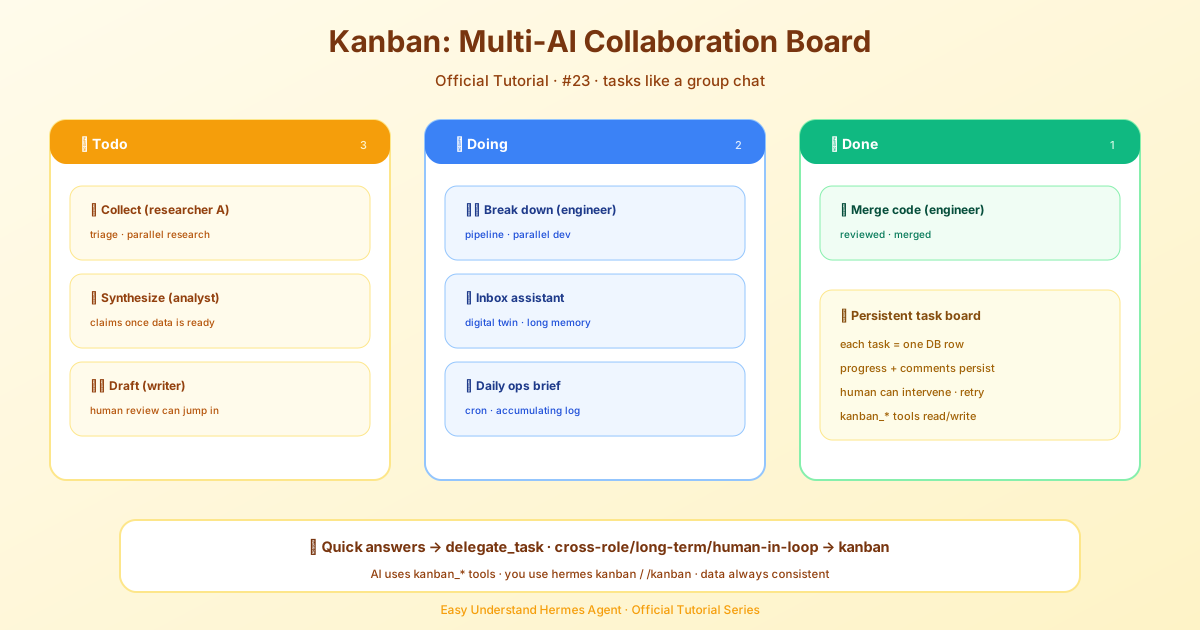
Step 1: Understand the Big Idea
Kanban is a shared database (a single file at ~/.hermes/kanban.db) that every Hermes profile can read and write. Each task is a row. Each handoff is a row. Each worker is a full OS process with its own identity and memory.
Key difference from delegate_task:
delegate_taskis like a phone call — you call, you wait, you hang up. If it fails, it’s gone.- Kanban is like a bulletin board — you post a task, walk away, and anyone can pick it up later. If a worker crashes, the task stays and another agent can reclaim it.
Step 2: Meet the Two Front Doors
Both surfaces use the same database, so they never disagree.
Door 1 — Agents use tools.
The AI model talks to the board through a dedicated toolset: kanban_show, kanban_list, kanban_create, kanban_complete, kanban_block, kanban_comment, and more. The dispatcher gives these tools to every worker automatically.
Door 2 — You use the CLI.
You (or scripts, or cron jobs) use hermes kanban … in the terminal, /kanban … as a slash command, or the dashboard.
Rule of thumb: if there’s a model behind it, use tools. If it’s a human or automation, use the CLI.
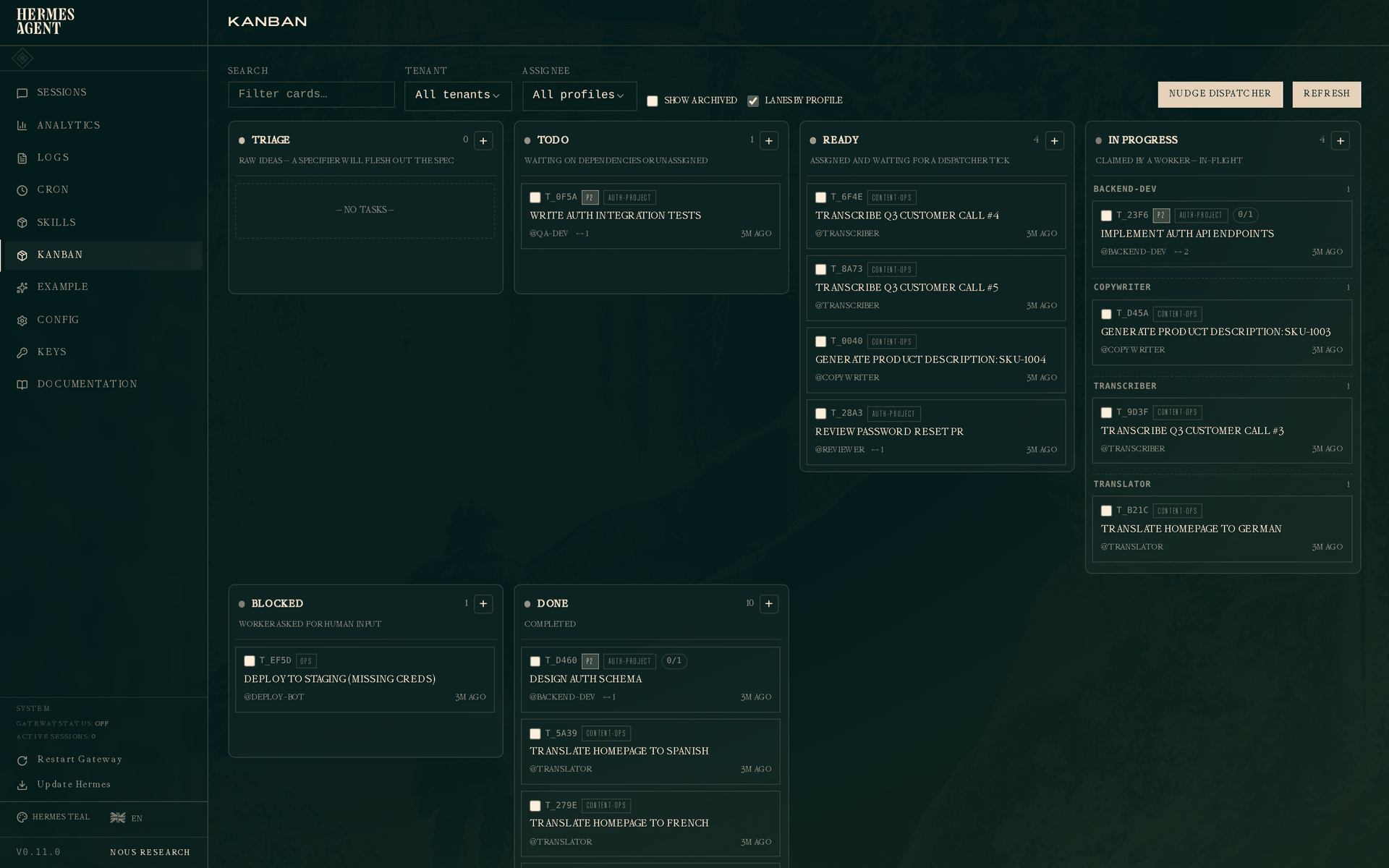
Step 3: Try the Basic Commands
Here’s how you create and manage a task from the terminal:
# Create a new task
hermes kanban create "Write blog post" --assign researcher-1

# List all tasks
hermes kanban list

# Show details of a task
hermes kanban show 42

# Mark a task as done
hermes kanban complete 42

# Block a task (waiting on something)
hermes kanban block 42 "Need more data"

# Unblock it later
hermes kanban unblock 42

# Add a comment
hermes kanban comment 42 "Draft is ready for review"
Every CLI verb has a matching tool call the model uses internally — same database, same result.
Step 4: See What Kanban Can Do That delegate_task Can’t
Here are the workloads this board is built for:
- Research triage — several researchers work in parallel, an analyst reviews, a writer drafts. A human can comment and unblock at any point.
- Scheduled ops — a daily brief agent that builds a journal over weeks.
- Digital twins — persistent assistants like
inbox-triagethat accumulate memory over time. - Engineering pipelines — decompose a big feature, implement in parallel worktrees, review, iterate, then create a PR.
- Fleet work — one specialist managing 50 social accounts or 12 monitored services.
Step 5: Remember the One-Sentence Distinction
delegate_task is a fork-join RPC call; Kanban is a durable message queue with a state machine.
In plain English: delegate_task is “ask and wait,” Kanban is “post and let the team work.”
Step 6: Know the Completion Rules
Two guardrails matter once a worker is running. First, completion checkpoints: dispatcher-owned workers get one checkpoint notice near 90% of their finite iteration budget (tune it with agent.budget_warning_ratio), saved in the session transcript before the next request — a reporting opportunity, not a guarantee the model will heed it, and ordinary conversations and delegated children don’t inherit it. Second, PR completion contracts: declare PR work at creation with --completion-contract OWNER/REPO (or an exact pull request URL), or use local-only for intentionally local work; after publishing, pass metadata.published_pr to completion, and the first matching URL binds the card permanently. The shared complete_task boundary then checks the repository’s required status checks — missing, pending, failed, cancelled, timed-out, stale, skipped or neutral required evidence cannot complete the card, and a repository without required checks needs a local-only contract. A commit or diff alone never automatically completes a task.
Step 7: Avoid the Support-Card Deadlock
When a worker is blocked on a parent card and creates a support card for the missing piece, don’t link the support card as a child of the blocked parent — that gates the helper behind the very card it’s meant to unblock, and neither ever runs. Reference the parent’s id in the support card’s body instead. If you do link them, the board flags it: link/kanban_link report gated: true and record a dependency_wait event, and hermes kanban unlink <parent> <child> releases it.
Summary
Kanban turns Hermes from a single-agent assistant into a multi-agent workforce with a shared, persistent memory. Tasks survive crashes, humans can step in anytime, and multiple agents can touch the same task over its life. It’s the difference between hiring a temp and building a team.
Next up: Tutorial 24 — Persistent Goals: keeping the agent going until the job is truly done.
📖 Official Docs
This article is based on the official Hermes Agent documentation:Official docs › user-guide/features/kanban