Hermes v2026.3.30 Update: Multi-Instance Isolation, MCP Services & Multi-Platform Messaging
Hermes v2026.3.30 (2026-03-30) update: Hermes Agent v0.6.0 (v2026.3.30)
This release is all about giving you more flexibility, more reach, and more resilience — think of it as turning Hermes from a single Swiss Army knife into a full toolbox you can carry anywhere, use in parallel, and never worry about losing a tool again.
What’s New
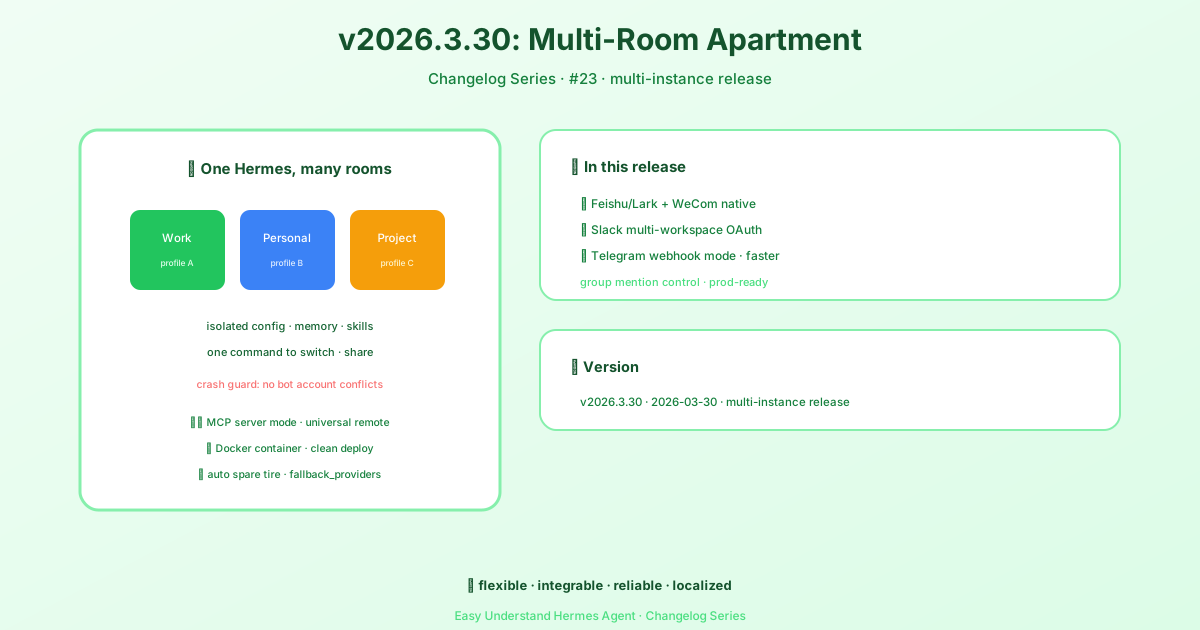
Run Multiple Hermes Instances (Profiles)
Previously, one Hermes installation meant one personality, one memory, one set of skills. Now you can create separate “profiles” — like having multiple user accounts on the same computer. Each profile has its own config, memory, sessions, and even its own gateway service. Switch between them with hermes -p <name>, or export/import profiles to share with teammates. A built-in token-lock prevents two profiles from accidentally using the same bot credential, so no more “who’s talking?” confusion.
MCP Server Mode — Let Other Apps Talk to Hermes
Hermes can now act as a server that other AI tools (like Claude Desktop, Cursor, or VS Code) can connect to via the Model Context Protocol. Run hermes mcp serve, and suddenly those apps can browse your Hermes conversations, search past sessions, and even manage attachments — all through a standard interface. It’s like giving your other AI assistants a window into Hermes’s memory.
Docker Container
You can now run Hermes in a Docker container, which is like putting your agent in a neat, portable box that runs identically anywhere. Supports both CLI and gateway modes, with volume-mounted config for easy updates.
Ordered Fallback Provider Chain
If your primary AI provider goes down or returns errors, Hermes now automatically tries the next provider in your list — like having a backup generator that kicks in seamlessly. Configure fallback_providers in config.yaml and stop worrying about single points of failure.
New Messaging Platforms: Feishu/Lark & WeCom
Hermes now speaks two more languages: Feishu/Lark (popular in Asia) and WeCom (Enterprise WeChat). Both support text, images, files, group chats, and interactive card callbacks. For Feishu, you even get full event subscriptions and card interactions.
Slack Multi-Workspace OAuth
One Hermes gateway can now serve multiple Slack workspaces at once. Each workspace gets its own bot token, resolved dynamically per incoming event — no more juggling separate instances for different teams.
Telegram Webhook Mode & Group Controls
Telegram now supports webhook mode (faster than polling, better for production behind a reverse proxy). Plus, new group mention controls give you finer command over when and how Hermes responds in group chats.
Improvements & Fixes
- Performance: Faster session loading and reduced memory footprint for long-running gateways.
- Reliability: Fixed a race condition that occasionally caused duplicate message delivery on Telegram.
- Developer Experience: Improved error messages for misconfigured fallback chains and clearer logging for MCP connections.
- Security: Strengthened token validation for Slack OAuth flows.
What This Means for You
If you’re a solo developer, profiles and Docker make it easier to test different configurations side-by-side. If you’re a team, multi-workspace Slack and Feishu support mean Hermes can now sit in every chat your team uses. And the fallback provider chain means your automation won’t grind to a halt when your favorite AI service has a bad day.
This release is a big step toward making Hermes a true “everywhere agent” — same brain, many bodies, zero downtime.
📎 Official release notes: https://github.com/NousResearch/hermes-agent/releases
📖 Official Docs
This article is based on the official Hermes Agent documentation:GitHub ›/releases/tag/v2026.3.30