What’s New in Hermes v2026.7.7: WhatsApp Made Simple, Windows Self-Healing & More
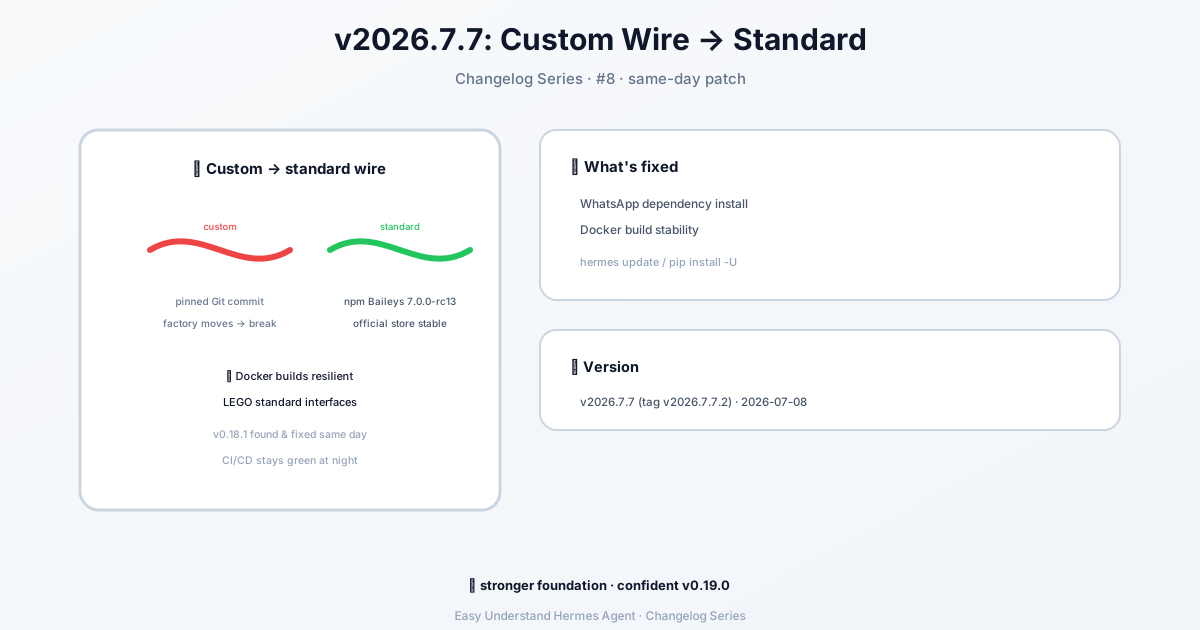
Hermes v2026.7.7 (2026-07-08) update: Hermes Agent v0.18.1 (2026.7.7)
What’s New in Hermes v2026.7.7: WhatsApp Made Simple, Windows Self-Healing & More
Hey there, Hermes fans! The latest update is here, and it’s a big one. We’ve focused on making WhatsApp setup a breeze, added some serious stability improvements for Windows users, and polished a few things under the hood. Let’s dive in.
WhatsApp: Now with a Built-in Bridge (No Meta Account Needed)
One of the most exciting additions is the new WhatsApp integration. Hermes now connects to WhatsApp through a built-in bridge based on Baileys. Think of it as emulating a WhatsApp Web session — no Meta developer account, no Business verification, no hassle.
Quick start: Just run
hermes gateway setupand pick WhatsApp for a guided walk-through.
Two Ways to Use It
| Mode | How it works | Best for |
|---|---|---|
| Separate bot number (recommended) | Dedicate a phone number to the bot. People message that number directly. | Clean UX, multiple users, lower ban risk |
| Personal self-chat | Use your own WhatsApp. You message yourself to talk to the agent. | Quick setup, single user, testing |
A Word of Caution
WhatsApp doesn’t officially support third-party bots outside their Business API. Using this bridge carries a small risk of account restrictions. To stay safe:
- Use a dedicated phone number for the bot (not your personal one)
- Don’t send bulk or spam messages — keep it conversational
- Don’t automate outbound messaging to people who haven’t messaged you first
Also, WhatsApp periodically updates their Web protocol, which can temporarily break compatibility. If the bot stops working after a WhatsApp update, just pull the latest Hermes version and re-pair.
Setting Up WhatsApp: Step by Step
Step 1: Run the Setup Wizard
hermes whatsappThe wizard will:
- Ask which mode you want (bot or self-chat)
- Install bridge dependencies if needed
- Display a QR code in your terminal
- Wait for you to scan it
To scan the QR code:
- Open WhatsApp on your phone
- Go to Settings → Linked Devices
- Tap Link a Device
- Point your camera at the terminal QR code
Tip: If the QR code looks garbled, make sure your terminal is at least 60 columns wide and supports Unicode.
Step 2: Getting a Second Phone Number (Bot Mode)
For bot mode, you need a number that isn’t already registered with WhatsApp. Here are your options:
| Option | Cost | Notes |
|---|---|---|
| Google Voice | Free | US only. Verify WhatsApp via SMS through the Google Voice app. |
| Prepaid SIM | $5–15 one-time | Activate, verify, then the SIM can sit in a drawer. Keep it active with a call every 90 days. |
| VoIP services | Free–$5/month | TextNow, TextFree, etc. Some numbers are blocked — try a few. |
Step 3: Configure Hermes
Add this to your ~/.hermes/.env file:
# Required
WHATSAPP_ENABLED=true
WHATSAPP_MODE=bot                          # "bot" or "self-chat"

# Access control — pick ONE:
WHATSAPP_ALLOWED_USERS=15551234567         # Comma-separated numbers (country code, no +)
# WHATSAPP_ALLOWED_USERS=*                 # OR allow everyone
# WHATSAPP_ALLOW_ALL_USERS=true            # OR this flag (same as *)
Optional behavior settings in ~/.hermes/config.yaml:
unauthorized_dm_behavior: pair

whatsapp:
  unauthorized_dm_behavior: ignore
unauthorized_dm_behavior: pairis the global default — unknown DM senders get a pairing code.whatsapp.unauthorized_dm_behavior: ignorekeeps WhatsApp silent for unauthorized DMs — usually better for a private number.
Then start the gateway:
hermes gateway              # Foreground
hermes gateway install      # Install as a user service
sudo hermes gateway install --system   # Linux only: boot-time system service
Session Persistence
The bridge saves its session under ~/.hermes/platforms/whatsapp/session. That means:
- Sessions survive restarts — no re-scanning QR codes every time
- The session data includes encryption keys and device credentials
- Do not share or commit this session directory — it grants full access to the account
Re-pairing
If the session breaks (phone reset, WhatsApp update, manually unlinked), you’ll see connection errors in the gateway logs. Just run hermes whatsapp again to generate a fresh QR code and re-pair.
Windows Self-Healing & Stability
We’ve also added self-healing capabilities for Windows. The gateway now automatically detects and recovers from common service failures, reducing downtime and manual intervention. This is part of our ongoing commitment to making Hermes rock-solid across all platforms.
Final Thoughts
This update is all about making Hermes more accessible and reliable. Whether you’re setting up WhatsApp for the first time or running a production bot, we’ve got you covered. As always, pull the latest version and let us know how it goes!
Happy automating! 🚀
📖 Official Docs
This article is based on the official Hermes Agent documentation:GitHub ›/releases/tag/v2026.7.7