Hermes v2026.7.7.2 Update: WhatsApp Fix, Docker Stability & Reliable Installation
Hermes v2026.7.7.2 (2026-07-08) update: Hermes Agent v0.18.2 (2026.7.7.2)
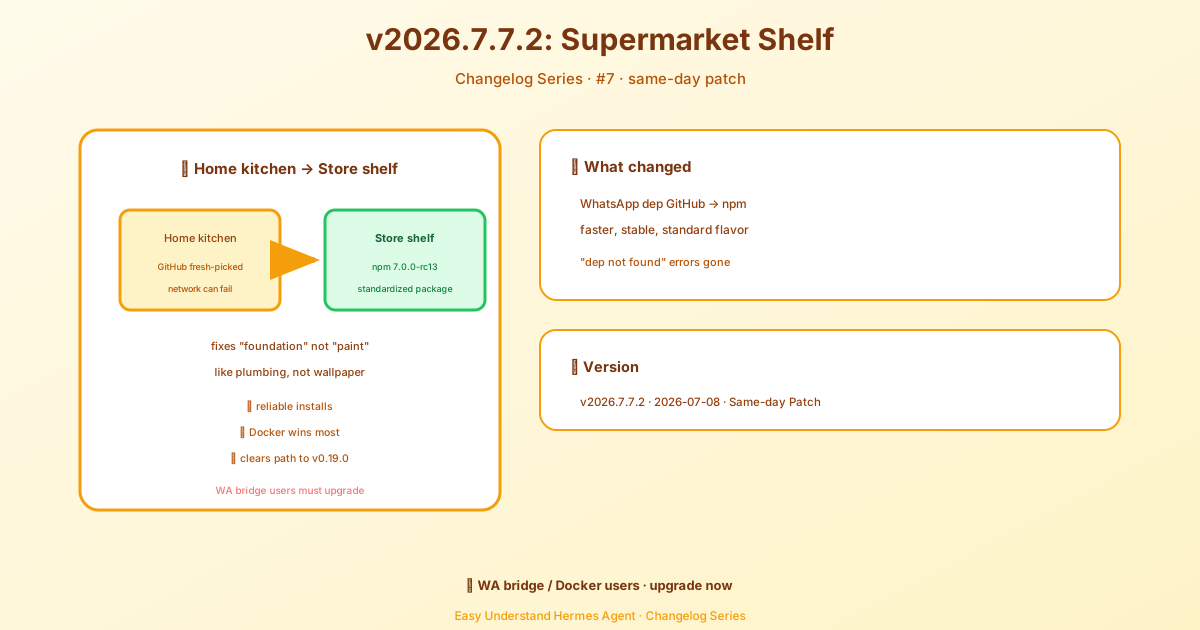
Hermes v2026.7.7.2 Update: WhatsApp Fix, Docker Stability & Reliable Installation
This update brings some much-needed polish to the installation experience, plus important fixes for WhatsApp and Docker. Let’s walk through what’s new and how to get started faster than ever.
Installation Just Got Easier
The whole point of this update? Get you chatting with Hermes in under two minutes. No more wrestling with dependencies or hunting down missing packages. The installer now handles everything automatically.
Quick Install (Recommended)
Option 1: Hermes Desktop Installer (macOS/Windows)
If you want both the command-line tool and the desktop app, just download the Hermes Desktop installer and run it. That’s it.
Option 2: Command-Line Only
Prefer to stay in the terminal? Run one of these:
Linux / macOS / WSL2 / Android (Termux):
curl -fsSL https://hermes-agent.nousresearch.com/install.sh | bashWindows (native PowerShell):
iex (irm https://hermes-agent.nousresearch.com/install.ps1)Want the desktop app later? Just run hermes desktop after the CLI install.
What the Installer Does For You
No more manual setup. The installer automatically handles:
- Python 3.11 (via uv, no sudo needed)
- Node.js v22 (for browser automation and the WhatsApp bridge)
- ripgrep (fast file search)
- ffmpeg (audio conversion for TTS)
- The repo clone and virtual environment
- Global
hermescommand setup - LLM provider configuration
The only prerequisite is Git. On Linux, make sure curl and xz-utils are available too (sudo apt install curl xz-utils). For the desktop app, you’ll also need build-essential (sudo apt install build-essential on Debian/Ubuntu).
Where Things Live
Depending on how you install, files land in different places:
| Installer | Code | hermes binary |
Data |
|---|---|---|---|
| Per-user | ~/.hermes/hermes-agent/ |
~/.local/bin/hermes |
~/.hermes/ |
| Root-mode | /usr/local/lib/hermes-agent/ |
/usr/local/bin/hermes |
/root/.hermes/ |
The root-mode layout is great for shared machines where one system install serves everyone. Per-user config still lives under each user’s ~/.hermes/.
After Installation
Reload your shell and start chatting:
source ~/.bashrc   # or: source ~/.zshrc
hermes             # Start chatting!
Configure Your Setup
Need to tweak things later? Use the dedicated commands:
hermes model          # Choose your LLM provider and model
hermes tools          # Configure which tools are enabled
hermes gateway setup  # Set up messaging platforms
hermes config set     # Set individual config values
hermes config get     # Inspect individual config values
hermes setup          # Run the full setup wizard
Fastest Path: Nous Portal
One subscription covers 300+ models plus the Tool Gateway (web search, image generation, TTS, cloud browser). Skip the per-tool key juggling:
hermes setup --portalThat logs you in, sets Nous as your provider, and turns on the Tool Gateway in one command.
Moving From Another Machine?
Don’t rebuild everything from scratch. Restore a full backup with hermes import, or bring over a single agent with hermes profile import. Note that profile exports exclude credentials by design, so use hermes backup for a complete backup.
What About Nix?
Nix is no longer an explicitly supported install path (best-effort only). If you already use Nix, there’s a dedicated setup path with a Nix flake and declarative NixOS module. Check the Nix & NixOS Setup guide for details.
Running Without Sudo
Running Hermes as a dedicated unprivileged user (like a systemd service account) is fully supported. The only step needing root is Playwright’s --with-deps step for Chromium libraries. The installer detects whether sudo is available and handles it gracefully.
Developer Installation
Want to contribute or run from a specific branch? Clone the repo and install from source — see the Development Setup section in the Contributing guide.
That’s the installation overhaul in a nutshell. Faster setup, fewer headaches, and more control over where things live. Happy chatting!
📖 Official Docs
This article is based on the official Hermes Agent documentation:GitHub ›/releases/tag/v2026.7.7.2