Migrate from OpenClaw
Migrate from OpenClaw — easy-to-understand guide based on official docs
Moving to a new home is stressful—but imagine if a moving company packed your boxes, labeled everything, and even carried your furniture up the stairs for you. That’s exactly what Hermes Agent’s migration tool does when you switch from OpenClaw (or its older cousins, Clawdbot and Moldbot). No manual copying, no lost memories, no tears.
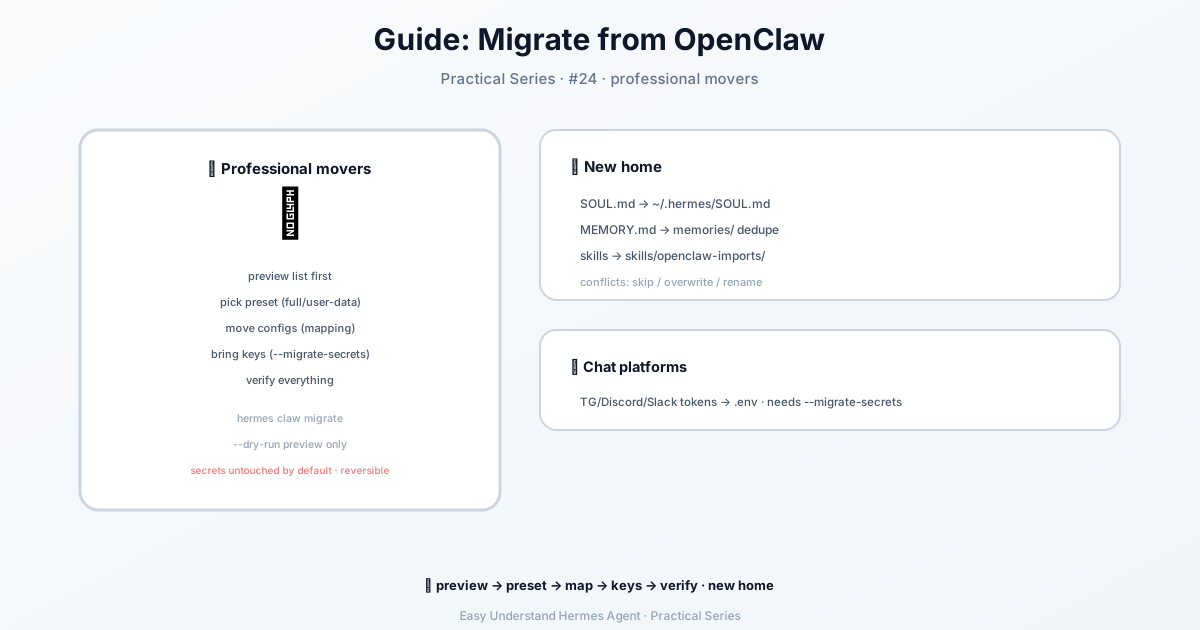
What Does the Migration Tool Do?
Think of hermes claw migrate as your personal moving crew. It reads everything from your old OpenClaw setup (usually in ~/.openclaw/) and places it neatly into your new Hermes home (~/.hermes/). It handles your:
- Personality and instructions – Your
SOUL.mdfile (your agent’s “character”) gets copied directly. - Workspace rules – The
AGENTS.mdfile (how your agent should behave in projects) moves to your chosen location. - Long-term memory – Your
MEMORY.mdfile is parsed into separate entries, merged with any existing memories, and deduplicated so you don’t get repeats.
The Simple Way to Start
Open your terminal and run this one command:
hermes claw migrateThe tool will show you a preview of everything it plans to move. Review the list, type “yes” to confirm, and you’re done. It’s that easy.
Want to See Before You Commit?
If you’re nervous about changes, do a dry run first:
hermes claw migrate --dry-runThis shows you the full plan without touching anything. Think of it as walking through your new apartment before signing the lease.
Moving Your API Keys (Optional but Important)
By default, the migration does not copy your API keys (like OpenAI or Anthropic credentials). If you want those moved too, you need to say so explicitly:
hermes claw migrate --preset full --migrate-secrets --yesThe --migrate-secrets flag is your safety switch—it ensures keys are never moved silently without your knowledge.
What If Something Goes Wrong?
Hermes has your back. Before applying any changes, it creates a backup zip of your current ~/.hermes/ folder. If anything feels off, you can restore it with:
hermes importThis backup lives in ~/.hermes/backups/pre-migration-*.zip. It’s like having a “before” photo of your apartment—you can always put everything back.
A Few Extra Tips
- Legacy users: If you’re coming from
~/.clawdbot/or~/.moltbot/, don’t worry—Hermes detects those folders automatically. - Conflicts? If Hermes finds files that already exist, it will refuse to overwrite them by default. You can force it with
--overwriteor choose to rename conflicts with--skill-conflict rename. - Multi-provider setups: If you used multiple AI providers before,
hermes setup --portalcollapses everything into one OAuth login with access to 300+ models.
The Bottom Line
Migration doesn’t have to be a headache. With hermes claw migrate, you get a preview, a safety backup, and a clean transfer of your agent’s personality, memories, and rules—all in one command.
Practical tip: Run hermes claw migrate --dry-run first, review the list carefully, and then run the real migration. Always keep that backup zip somewhere safe for at least a week. Your future self will thank you.
📖 Official Docs
This article is based on the official Hermes Agent documentation:Official docs › guides/migrate-from-openclaw