Hermes on Your Android Phone? Yes, It’s Possible!
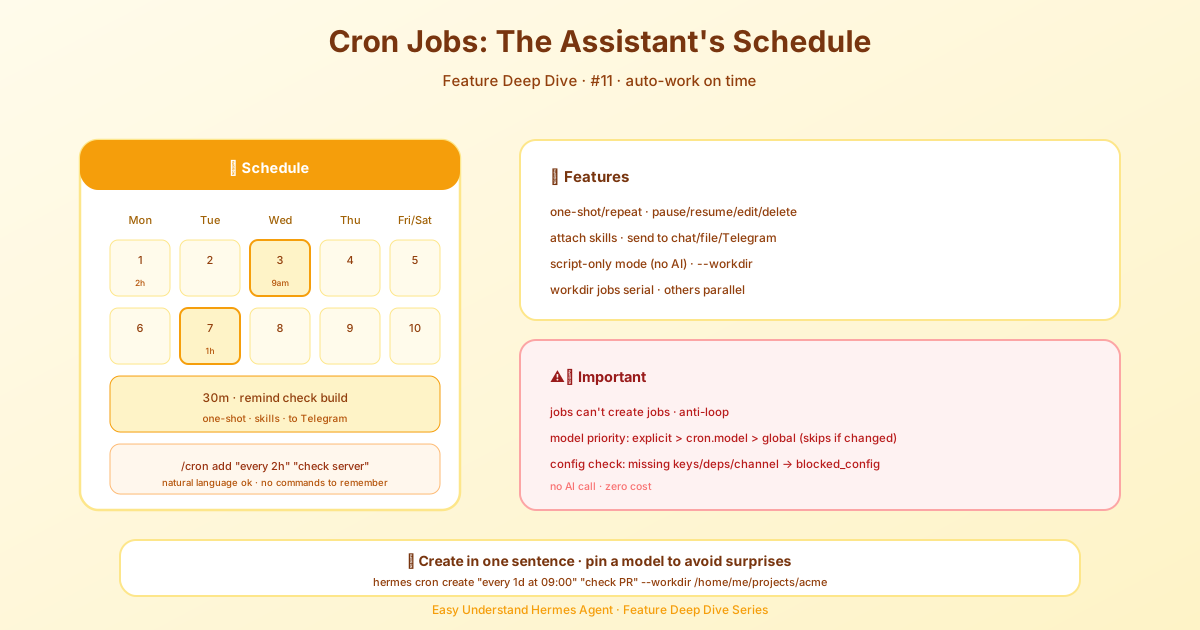
Scheduled Tasks (Cron) — Let AI Work Automatically — easy-to-understand guide based on official docs
Hermes on Your Android Phone? Yes, It’s Possible!
So you want to run Hermes Agent on your Android phone? Good news: it’s totally doable, thanks to Termux. Termux is a terminal emulator for Android that lets you run a Linux-like environment right on your device. With it, you can get a working Hermes CLI running locally on your phone, plus a bunch of core extras that install cleanly on Android.
Before we dive in, a quick heads-up: Android/Termux is what we call a Tier 2 platform. That means the installer and docs here are maintained on a best-effort basis. Things might break occasionally, but for most use cases, it works great.
What Works on Android?
The tested Termux bundle gives you:
- The Hermes CLI
- Cron support (scheduled tasks)
- PTY/background terminal support
- Telegram gateway support (manual, best-effort background runs)
- MCP support
- Honcho memory support
- ACP support
In plain terms, that means you can run Hermes as a phone-native CLI agent and do most of the core stuff you’d expect.
What Doesn’t Work (Yet)
A few things still need desktop/server-style dependencies that aren’t available for Android:
- The full
.[all]extra is not supported - Voice features are blocked because
ctranslate2doesn’t publish Android wheels - Automatic browser/Playwright setup is skipped
- Docker-based terminal isolation isn’t available
- Android may suspend background jobs, so gateway persistence is best-effort
Don’t let that discourage you though. Hermes works really well as a phone-native CLI agent — it’s just intentionally narrower than the desktop install.
Option 1: One-Line Installer (Easiest)
Hermes now ships a Termux-aware installer that handles everything for you:
curl -fsSL https://hermes-agent.nousresearch.com/install.sh | bashOn Termux, the installer automatically:
- Uses
pkgfor system packages - Creates a virtual environment with
python -m venv - Tries the broad
.[termux-all]extra first, then falls back to.[termux] - Links
hermesinto$PREFIX/binso it stays on your PATH - Skips the untested browser/WhatsApp bootstrap
If you want more control or need to debug something, use the manual path below.
Option 2: Manual Install (Fully Explicit)
1. Update Termux and install system packages
pkg update
pkg install -y git python clang rust make pkg-config libffi openssl nodejs ripgrep ffmpeg
Here’s why you need these:
python— runtime + venv support
:::warning Supported Python range
Hermes requires Python >=3.11,<3.14. Current Termux ships python
3.14.x, which is outside that range — the installer detects this, and will
automatically try the Termux User Repository (TUR)
for a supported interpreter. For a manual install, get one yourself:
pkg install tur-repo
pkg install python3.13
Then use python3.13 in place of python in the commands below
(e.g. python3.13 -m venv venv).
:::
git— clone/update the repoclang,rust,make,pkg-config,libffi,openssl— needed to build Python dependencies on Androidnodejs— optional, for experimentsripgrep— fast file searchffmpeg— media/TTS conversions
2. Clone Hermes
git clone https://github.com/NousResearch/hermes-agent.git
cd hermes-agent
3. Create a virtual environment
python -m venv venv
source venv/bin/activate
export ANDROID_API_LEVEL="$(getprop ro.build.version.sdk)"
python -m pip install --upgrade pip setuptools wheel
The ANDROID_API_LEVEL line is important for Rust/maturin-based packages like jiter.
4. Install the tested Termux bundle
python -m pip install -e '.[termux]' -c constraints-termux.txtWant just the minimal core agent? This works too:
python -m pip install -e '.' -c constraints-termux.txt5. Put hermes on your PATH
ln -sf "$PWD/venv/bin/hermes" "$PREFIX/bin/hermes"This makes the hermes command available in every new shell without re-activating the venv.
6. Verify the install
hermes --version
hermes doctor
7. Start Hermes
hermesCommunity-Maintained APT Option
Prefer a native package-manager install? A community-maintained APT repository is available. Note: this is not an official NousResearch distribution — it’s operated by @adybag14-cyber. Use it at your own trust level.
Install it with:
curl -fsSL https://raw.githubusercontent.com/adybag14-cyber/termux-python/main/scripts/setup_apt_repo.sh | bash
pkg install hermes-agent
The signing key fingerprint is:
EAD24A2124EFA7393A78B7B14699F966313F7A6BWith APT-managed installs, use the package manager to update:
pkg update
pkg upgrade hermes-agent
Recommended Follow-Up Setup
Configure a model
hermes modelOr set keys directly in ~/.hermes/.env.
Re-run the full setup wizard later
hermes setupInstall optional Node dependencies manually
The tested Termux path skips Node/browser bootstrap on purpose. If you want to experiment with browser tooling later, what you need depends on which backend you use:
-
Cloud browser providers (Browserbase, Browser Use, Firecrawl) host their own Chromium, so Node.js alone is enough —
agent-browserresolves lazily vianpx agent-browseron first use:pkg install nodejs-lts -
Local browser automation on Termux needs a real
agent-browserinstall — the bare npx fallback is deliberately rejected in local mode as too fragile to advertise as ready:pkg install nodejs-lts npm install -g agent-browser && agent-browser install
The browser tool automatically includes Termux directories (/data/data/com.termux/files/usr/bin) in its PATH search, so agent-browser and npx are discovered without any extra PATH configuration.
Treat browser / WhatsApp tooling on Android as experimental until documented otherwise.
Troubleshooting
No solution found when installing .[all]
Use the tested Termux bundle instead:
python -m pip install -e '.[termux]' -c constraints-termux.txtThe blocker is currently the voice extra:
voicepullsfaster-whisperfaster-whisperdepends onctranslate2ctranslate2does not publish Android wheels
uv pip install fails on Android
Use the Termux path with the stdlib venv + pip instead:
python -m venv venv
source venv/bin/activate
export ANDROID_API_LEVEL="$(getprop ro.build.version.sdk)"
python -m pip install --upgrade pip setuptools wheel
python -m pip install -e '.[termux]' -c constraints-termux.txt
jiter / maturin complains about ANDROID_API_LEVEL
Set the API level explicitly before installing:
export ANDROID_API_LEVEL="$(getprop ro.build.version.sdk)"
python -m pip install -e '.[termux]' -c constraints-termux.txt
hermes doctor says ripgrep or Node is missing
Install them with Termux packages:
pkg install ripgrep nodejsBuild failures while installing Python packages
Make sure the build toolchain is installed:
pkg install clang rust make pkg-config libffi opensslThen retry:
python -m pip install -e '.[termux]' -c constraints-termux.txtKnown Limitations on Phones
- Docker backend is unavailable
- local voice transcription via
faster-whisperis unavailable in the tested path - browser automation setup is intentionally skipped by the installer
- some optional extras may work, but only
.[termux]and.[termux-all]are currently documented as the tested Android bundles
If you hit a new Android-specific issue, please open a GitHub issue with:
- your Android version
termux-infopython --versionhermes doctor- the exact install command and full error output
Final Thoughts
Running Hermes on your Android phone is a great way to have a capable CLI agent in your pocket. Start with the one-line installer, and if you hit any snags, the manual path gives you full visibility into what’s happening. Happy hacking!
Keep reading: Hermes heartbeat — For polling a task every few minutes inside one session, a Hermes heartbeat is the lighter fit.
📖 Official Docs
This article is based on the official Hermes Agent documentation:Official docs › getting-started/termux