Hermes Heartbeat — Keep Long Tasks Alive
Hermes Agent heartbeats: set one, check its status, pause or resume the timer, and know when to choose a heartbeat over cron.
Imagine you’re working with a diligent assistant who doesn’t hover over your shoulder, but every so often, quietly peeks at the thing you asked them to watch — and only speaks up when something actually changes. That’s the everyday reality of /heartbeat: it lets the AI automatically “look back” at a task on a schedule, all within the same conversation.
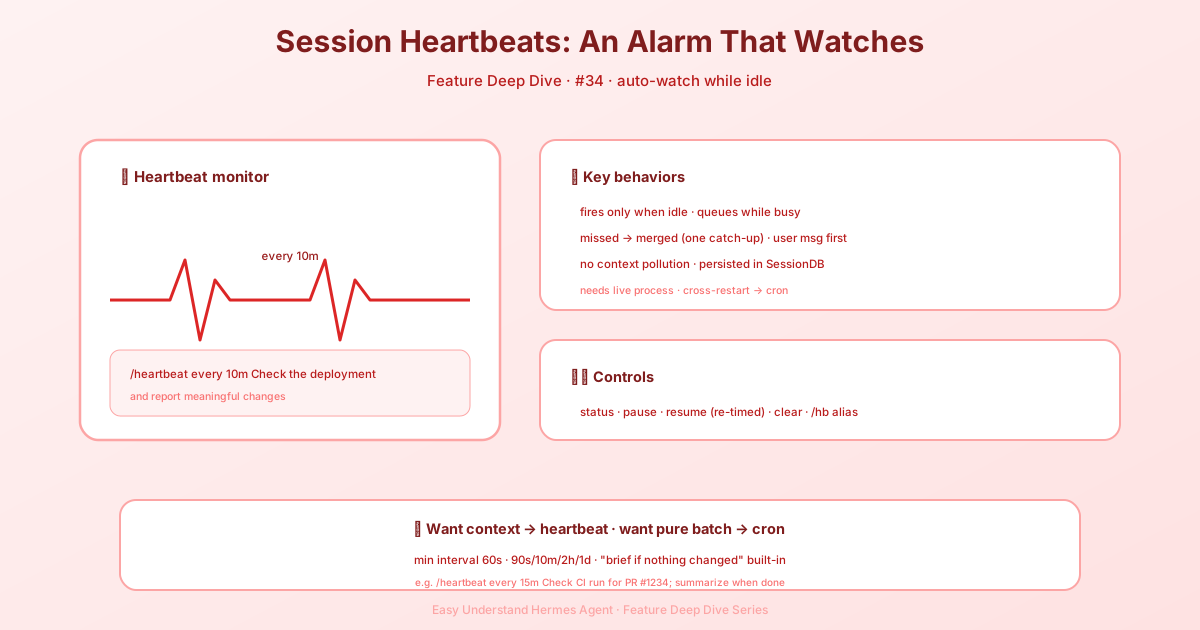
What Is It?
/heartbeat sets a recurring reminder for your current session. When the conversation is idle and the time is up, the AI sends a message to itself — just like a regular user would. The key detail: it never interrupts an ongoing task. It only slips in during a “breather,” using a normal user message, and it doesn’t alter any system settings.
How Is It Different from Cron?
/heartbeat |
hermes cron |
|
|---|---|---|
| Context | Current conversation — full memory & context | Fresh, isolated session every time |
| After restart | State saved in DB, resumes later | Fully persistent |
| Count | One per session | Unlimited |
| Best for | “Keep an eye on this topic” | Standalone tasks, scheduled reports |
Quick rule of thumb: if the reminder depends on the conversation’s backstory, use /heartbeat. If the task is fully independent, use cron.
Core Commands
# Set a heartbeat (check deployment every 10 minutes)
/heartbeat every 10m Check the deployment and report meaningful changes

# View current status
/heartbeat status

# Pause (without deleting)
/heartbeat pause

# Resume (timer restarts, won’t fire immediately)
/heartbeat resume

# Remove completely
/heartbeat clear
/hb is a handy alias. Supported intervals: 90s, 10m, 2h, 1d (minimum 60 seconds). It works on the CLI, the TUI / Desktop app, and gateway platforms (on Slack, use /hermes heartbeat …).
Thoughtful Little Details
- Only fires when you’re idle — if the AI is busy, the heartbeat waits patiently. No queue-jumping.
- No backlog — if several cycles pass without a trigger, only one message is sent. No pile-up.
- User messages come first — your messages always outrank a heartbeat.
- Owned by the surface that set it — a heartbeat set from a messaging chat fires from the gateway and replies into that chat, even while the same session is open in the TUI / Desktop app. The viewer never claims the tick.
- Quiet when there’s nothing to say (gateway) — a scheduled heartbeat can end with a bare silence marker (
NO_REPLY/[SILENT]), and the gateway sends nothing. While it works, no typing indicator, tool-progress, streamed draft, or “still working” bubble is posted, and any result it delivers goes to the chat/topic without quoting the message that set the heartbeat. Approval prompts and failures stay visible. - No busywork — heartbeat messages carry a built-in instruction: “if nothing changed, reply briefly.” No need to fake activity.
A Real-World Example
You: /heartbeat every 15m Check whether the CI run for PR #1234 finished; summarize the result when it does

  ♥ Heartbeat set (every 15m): check CI for PR #1234; summarize when done

[15 minutes later, you’re busy with something else]

Hermes: [heartbeat triggered]
  💻 gh pr checks 1234   (1.2s)
  CI passed ✅ All tests green
Summary & Practical Advice
/heartbeat is like a smart alarm clock for your conversation — it remembers context, respects your rhythm, and only nudges you when it matters. Best use case: “watch while I work” scenarios — waiting for a deployment, monitoring log anomalies, or tracking a discussion’s follow-up. Just remember: if a task is completely independent of the current chat, cron is the safer bet. But if it’s about “staying tuned in to this topic,” the heartbeat is your perfect partner.
📖 Official Docs
This article is based on the official Hermes Agent documentation:Official docs › user-guide/features/heartbeat