Tutorial 8: Session Management
Tutorial 8: Session Management — easy-to-understand guide based on official docs
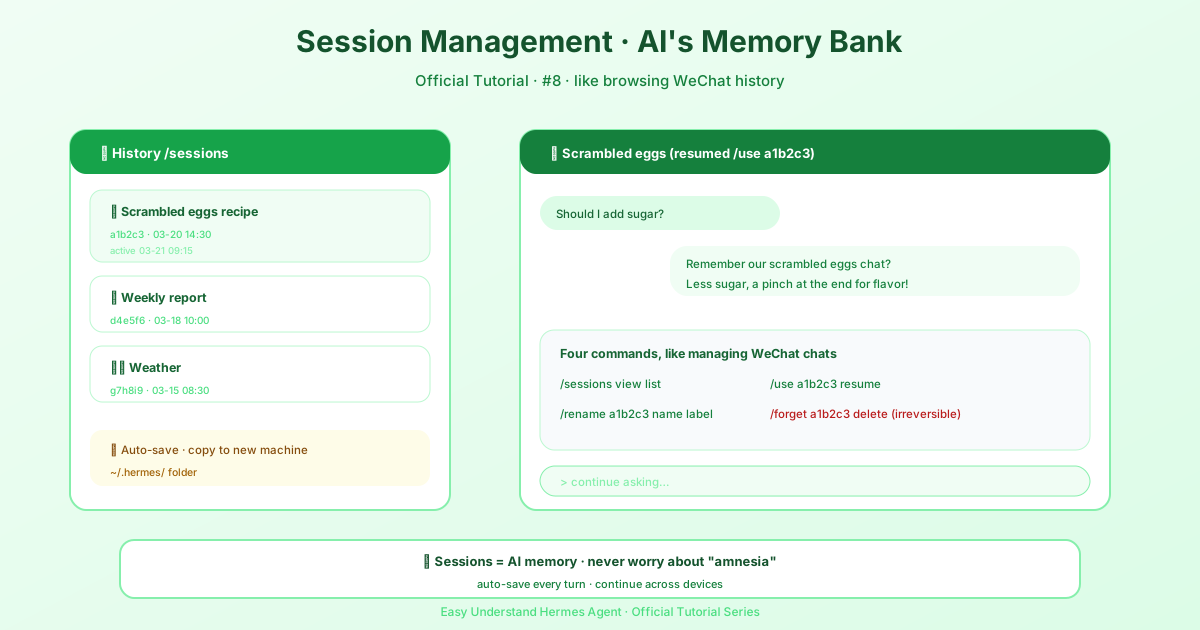
Tutorial 8: Session Management
Welcome back! In this tutorial, we’re diving into one of Hermes Agent’s most powerful features: sessions. If you’ve ever closed your terminal and wished you could pick up right where you left off, or wanted to search through an old conversation to find that one command you ran weeks ago, this tutorial is for you.
What Are Sessions?
Think of a session as a complete record of a conversation. Every time you chat with Hermes — whether through the CLI, Telegram, Discord, Slack, WhatsApp, or any of the other 20+ supported platforms — Hermes automatically saves the entire conversation as a session.
These sessions live in a SQLite database at ~/.hermes/state.db. This database stores everything:
- Session metadata: ID, platform, user, timestamps
- A unique, human-readable title for each session
- Model configuration and system prompt snapshots
- Full message history including tool calls and results
- Token counts for input and output
- Parent session ID for tracking session splits
The best part? The database uses FTS5 full-text search, so you can search across all your conversations instantly.
Sessions are tagged by source. Alongside the usual platforms, there are a few special ones worth knowing:
oneshot— finite non-interactive runs likehermes chat --oneshot -q,-Q,hermes -z, or-qon non-TTY stdio. These are hidden from the TUI, Desktop, and dashboard session pickers, but they still count as CLI history:hermes -c/--resume latestcontinue the last one-shot, andhermes sessions listshows it. An explicit--source <tag>always wins.kanban— Kanban dispatcher workers, readable on the board but hidden from session pickers.tool— third-party integrations (--source tool), also hidden from session pickers.
A session compressed mid-conversation keeps the same source, so a compression child of a --source tool or oneshot run inherits the same picker visibility.
What Actually Goes Into Context?
Here’s something important to understand: Hermes doesn’t re-send your entire history every turn. Instead, the model sees the system prompt, the current conversation window, and anything Hermes explicitly injects for that turn.
Media files are handled smartly:
- Images might be analyzed once with vision, then only a text description is kept
- Audio gets transcribed to text
- Documents have their text extracted or just a local path saved
So if you send an image and ask for a meme, Hermes inspects it once, runs the processing, and future turns don’t carry the original JPEG around. The real context hogs are verbose text — pasted transcripts, huge logs, massive tool outputs. Pro tip: prefer summaries and file paths over pasting entire documents into chat.
Resuming Conversations from the CLI
This is where sessions really shine. Let’s look at the commands:
Continue Your Last Session
# Resume the most recent CLI session
hermes --continue
hermes -c
Per-Terminal Magic
Here’s a cool new feature: a bare -c is terminal-aware. Hermes drops a small breadcrumb file for each terminal (tty, tmux pane, kitty window, etc.). So if you have two terminals side by side, each one resumes its own conversation instead of both grabbing the same one. No more cross-talk between panes!
If there’s no breadcrumb (first use or stale after 30 days), it falls back to the most recent session. You can disable this with session.terminal_continue: false in your config.
Resume by Name
If you’ve named your sessions, you can resume them directly:
hermes -c "my project"And if there are lineage variants like “my project #2” or “#3”, it automatically grabs the most recent one.
Resume by ID or Title
# By specific session ID
hermes --resume 20250305_091523_a1b2c3d4

# By title
hermes --resume "refactoring auth"

# Most recent session
hermes --resume latest
Session IDs are shown when you exit a CLI session, and can be found with hermes sessions list. The format is YYYYMMDD_HHMMSS_<hex> — CLI/TUI sessions use a 6-char hex suffix, gateway sessions use an 8-char suffix. You can resume by ID (full or unique prefix) or by title, and both work with -c and -r.
Resume in a Specific Directory
Pass --in <dir> to change into a directory before starting or resuming. Combined with --resume latest (or -c), the most recent session for that directory’s workspace is picked — no need to cd first or remember session IDs:
# Resume the latest session that belongs to ./my-project
hermes --resume latest --in ./my-project
--in also pins the session to that directory: the resumed session’s recorded working directory is not restored (as if --no-restore-cwd were passed).
Resume Restores the Working Directory
Resuming a CLI session also cds back into the session’s recorded working directory (its git repo root or project dir), so the conversation picks up in the workspace it belonged to. If you’d rather stay where you are, pass --no-restore-cwd:
hermes --resume 20250305_091523_a1b2c3 --no-restore-cwdA ↪ restored workspace dir: … line confirms the switch. Restore failures never break the resume itself.
Filtering Sessions by Workspace
hermes sessions list accepts --workspace <needle> to show only sessions whose workspace key (git repo root, else cwd) matches — by path substring or exact directory basename:
hermes sessions list --workspace my-project
hermes sessions list --workspace ~/code/hermes-agent
Conversation Recap on Resume
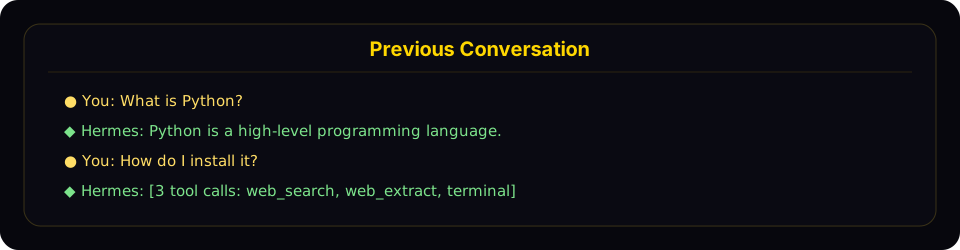
When you resume a session, Hermes displays a compact recap of the previous conversation in a styled panel before the input prompt. The recap shows user messages and assistant responses, truncates long messages, collapses tool calls to a count with tool names, hides system messages and tool results, and caps at the last 10 exchanges. To disable it and keep the minimal one-liner behavior, set in ~/.hermes/config.yaml:
display:
  resume_display: minimal   # default: full
Naming Your Sessions
Want to find sessions easily later? Pass a name when starting fresh:
hermes /new payments-refactorThis sets the initial title up front, making it a breeze to find with /resume <name> or in the /sessions picker.
Keeping Things Tidy
Three commands to remember:
/compress— when a session gets too long, compress it/new— start a fresh threadhermes sessions prune— delete old ended sessions
And if your state.db file has just grown large (not the sessions themselves), try the non-destructive option first:
hermes sessions optimizeThis merges FTS5 index segments and runs VACUUM without touching any session data. Remember: compression reduces active context, it’s not a privacy delete.
Session Continuity and Hygiene
Gateway conversations do not reset after inactivity or at a daily boundary. Use /new or /reset for an explicit new conversation; context compression remains automatic. Legacy session_reset settings, reset-policy overrides and reset-timer environment variables are ignored. Cached agents may be released to reclaim resources without replacing the durable conversation. Restart-recovery freshness limits automatic continuation, not the history loaded when you send a message.
Because gateway conversations never expire on their own, it is easy to run one session for weeks. That works, but it quietly defeats the learning loop and inflates costs. Memory only pays off at boundaries: MEMORY.md / USER.md are injected at session start, and session_search exists to recall what fell out of context, so in a never-ending session the agent has no reason to consult memory. Cost also grows with history — compression keeps a long session functional, but every turn still carries a large (compacted) prefix, and a fresh session with distilled memory is almost always cheaper than a month-old thread. Practical rule: end a session when you finish a task or topic, and run /new (optionally named, e.g. /new payments-refactor) at natural stopping points. Before the reset, ask the agent to “remember anything worth keeping” if the work surfaced durable preferences or procedures. Restarting the machine or the gateway is not a boundary — the same session resumes.
Cross-Platform Handoff
Use /handoff <platform> from a CLI session to transfer the live conversation to a messaging platform’s home channel. The agent picks up exactly where the CLI left off — same session id, full role-aware transcript, tool calls and all.
# Inside a CLI session
/handoff telegram
The CLI validates that the platform is enabled and has a home channel set (run /sethome from the destination chat once to configure it), marks the session pending, and block-polls the gateway. It refuses if the agent is mid-turn, so wait for the current response to finish first. The gateway re-binds the destination key to your existing CLI session id and forges a synthetic user turn asking the agent to confirm and summarize, and the reply lands in the new thread. When the gateway acknowledges success, the CLI prints a /resume hint and exits cleanly. From that point, the conversation lives on the platform — reply in the new thread, and anyone authorized in that channel shares the same session. To come back to a desktop, just run /resume <title> (or hermes -r "<title>" from the shell) and pick up where the platform left off.
Threading depends on the platform: Telegram opens a new forum topic, Discord creates an auto-archive thread, Slack and Matrix post a seed message and thread off it, while WhatsApp, Signal, and SMS have no native threads and fall back to the home channel directly. One limitation worth knowing: for non-thread-capable platforms with multi-user group home channels, the synthetic turn keys as a DM-style session. That’s fine for self-DM home channels (the typical setup) but not ideal for genuinely shared group chats. Threading covers Telegram, Discord, Slack, and Matrix — by far the common case — so most setups never hit this.
Wrapping Up
Sessions are the backbone of Hermes Agent’s memory. Whether you’re juggling multiple projects across different platforms or just want to pick up where you left off, session management keeps everything organized and searchable. Try the terminal-aware -c feature — it’s a game-changer for multitaskers!
In the next tutorial, we’ll explore more advanced conversation features. Until then, happy chatting!
Official interface screenshots
📖 Official Docs
This article is based on the official Hermes Agent documentation:Official docs › user-guide/sessions