Hermes Vertex AI Setup: Credentials & Config
Hermes Vertex AI setup: VERTEX_CREDENTIALS_PATH in ~/.hermes/.env, project_id + region under vertex: in config.yaml. Runs Gemini on GCP, no API key.
Think of Google Vertex AI as the “business-class lounge” for Google’s Gemini AI models—same great models, but with enterprise perks like stable rates, billing through your Google Cloud account, and no random rate-limit surprises.
Quick answer. Vertex needs two files. The credential path goes in
~/.hermes/.env; the project ID and region go in~/.hermes/config.yaml. Hermes mints and refreshes the OAuth2 token for you — there is no static API key to paste anywhere.
Configuration: which value goes where
| Setting | Value to use | Where it goes |
|---|---|---|
VERTEX_CREDENTIALS_PATH |
/path/to/service-account.json |
~/.hermes/.env — checked first |
GOOGLE_APPLICATION_CREDENTIALS |
/path/to/service-account.json |
~/.hermes/.env — fallback, checked second |
| (set neither) | gcloud auth application-default login |
terminal — Hermes then uses ADC |
model.default |
google/gemini-3-flash-preview (or any google/… Gemini ID) |
~/.hermes/config.yaml |
model.provider |
vertex |
~/.hermes/config.yaml |
vertex.project_id |
your GCP project ID — leave blank to use the one embedded in the credentials | ~/.hermes/config.yaml |
vertex.region |
global — required for the Gemini 3.x previews; regional endpoints may 404 them |
~/.hermes/config.yaml |
VERTEX_PROJECT_ID / VERTEX_REGION |
per-shell overrides — environment wins over config.yaml |
your shell environment |
Credential resolution order: VERTEX_CREDENTIALS_PATH → GOOGLE_APPLICATION_CREDENTIALS → ADC. Check the whole thing with hermes doctor, which reports whether Vertex credentials resolve and whether the provider is configured. Prerequisites: a Google Cloud project with the Vertex AI API enabled and billing active, and a service account holding roles/aiplatform.user.
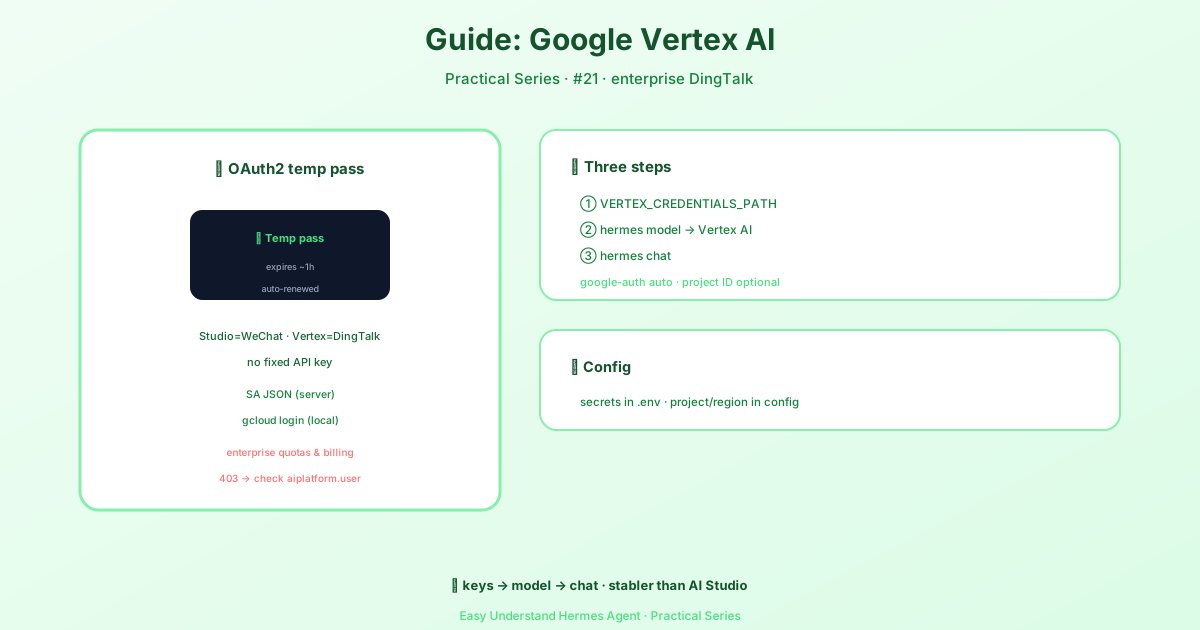
Why Not Just Use a Regular API Key?
If you’ve used other AI providers, you’re used to copying a static API key into a config file. Vertex doesn’t work that way. Instead of a key that never changes, Vertex uses short-lived OAuth2 tokens—like a boarding pass that expires after about an hour.
The good news? Hermes Agent handles all the minting and refreshing automatically. You never touch a token. This is also why you can’t just paste a temporary token into a custom provider’s api_key field—it would expire mid-conversation and break your session.
What You’ll Need (Prerequisites)
- A Google Cloud project with Vertex AI API enabled and billing active
- One of these credential types:
- A service account JSON key file (recommended for servers)
- Application Default Credentials (ADC) via
gcloud auth application-default login(great for local development)
That’s it. Hermes will auto-install google-auth the first time you select Vertex.
Quick Start: Two Options
Option A — Service Account JSON (for servers/gateways)
Just add one line to your ~/.hermes/.env file:
echo "VERTEX_CREDENTIALS_PATH=/path/to/service-account.json" >> ~/.hermes/.envOption B — Application Default Credentials (for local dev)
Run this in your terminal:
gcloud auth application-default loginThen select Vertex as your provider:
hermes modelChoose “More providers…” → “Google Vertex AI” → enter your GCP project ID (or leave blank to use the one in your credentials) → pick a region (default: global) → select a Gemini model.
Finally, start chatting:
hermes chatWhere Settings Live (Simple Breakdown)
Hermes splits Vertex settings into two files based on sensitivity:
~/.hermes/.env — holds the secret pointer (the path to your credentials):
# Use one of these (checked in this order); omit both to use ADC:
VERTEX_CREDENTIALS_PATH=/path/to/service-account.json
GOOGLE_APPLICATION_CREDENTIALS=/path/to/service-account.json
~/.hermes/config.yaml — holds non-secret routing settings (project ID and region):
model:
  default: google/gemini-...
Summary & Practical Tip
Vertex AI gives you enterprise-grade reliability with Gemini models, and Hermes handles the tricky OAuth2 token refresh automatically. You just point Hermes at your credentials once, and you’re set.
Pro tip: If you’re running Hermes on a server or gateway, always use the service account JSON method (Option A)—it’s more secure and predictable than ADC. And if you ever get stuck, run hermes setup to repair a managed install if the lazy install of google-auth fails. Happy building!
📖 Official Docs
This article is based on the official Hermes Agent documentation:Official docs › guides/google-vertex