Signal — Privacy-First Chat
Signal — Privacy-First Chat — easy-to-understand guide based on official docs
Signal — Privacy-First Chat
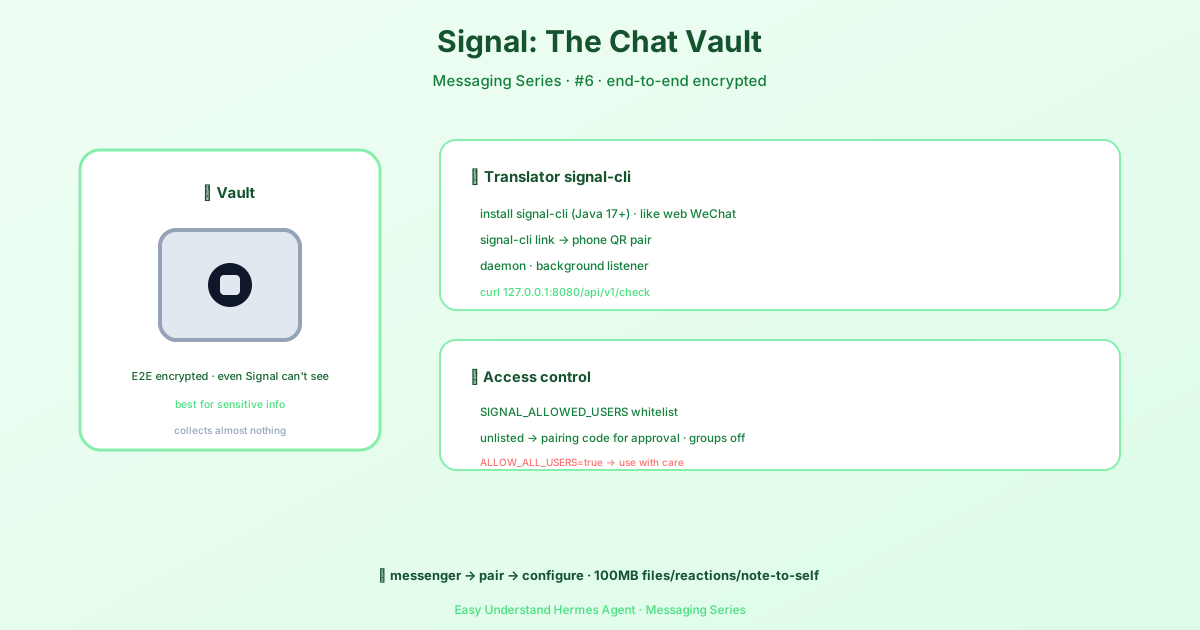
Signal is the messenger that privacy nerds actually use. End-to-end encrypted by default, open-source protocol, and minimal metadata collection — it’s the gold standard for secure communication. And now, Hermes Agent can live right inside it.
This guide walks you through connecting Hermes to Signal using signal-cli, a Java-based Signal client that runs as a daemon. The best part? No new Python dependencies. Hermes uses httpx (already a core dependency) for everything, so you only need to install signal-cli externally.
What You’ll Need
- signal-cli — the Java-based Signal client
- Java 17+ — required by signal-cli
- A phone number with Signal installed (for linking as a secondary device)
Installing signal-cli
# macOS
brew install signal-cli

# Linux (download latest release)
VERSION=$(curl -Ls -o /dev/null -w %{url_effective} \
  https://github.com/AsamK/signal-cli/releases/latest | sed 's/^.*\/v//')
curl -L -O "https://github.com/AsamK/signal-cli/releases/download/v${VERSION}/signal-cli-${VERSION}.tar.gz"
sudo tar xf "signal-cli-${VERSION}.tar.gz" -C /opt
sudo ln -sf "/opt/signal-cli-${VERSION}/bin/signal-cli" /usr/local/bin/
Note: signal-cli is not in apt or snap repositories. The Linux install above downloads directly from GitHub releases.
Step 1: Link Your Signal Account
Signal-cli works as a linked device — think WhatsApp Web, but for Signal. Your phone stays the primary device.
# Generate a linking URI (displays a QR code or link)
signal-cli link -n "HermesAgent"- Open Signal on your phone
- Go to Settings → Linked Devices
- Tap Link New Device
- Scan the QR code or enter the URI
Step 2: Start the signal-cli Daemon
# Replace +1234567890 with your Signal phone number (E.164 format)
signal-cli --account +1234567890 daemon --http 127.0.0.1:8080
Keep this running in the background — use systemd, tmux, screen, or run it as a service.
Verify it’s running:
curl http://127.0.0.1:8080/api/v1/check
# Should return: {"versions":{"signal-cli":...}}
Step 3: Configure Hermes
The easiest way:
hermes gateway setupSelect Signal from the platform menu. The wizard will:
- Check if signal-cli is installed
- Prompt for the HTTP URL (default:
http://127.0.0.1:8080) - Test connectivity to the daemon
- Ask for your account phone number
- Configure allowed users and access policies
Manual Configuration
Add to ~/.hermes/.env:
# Required
SIGNAL_HTTP_URL=http://127.0.0.1:8080
SIGNAL_ACCOUNT=+1234567890

# Security (recommended)
SIGNAL_ALLOWED_USERS=+1234567890,+0987654321    # Comma-separated E.164 numbers or UUIDs

# Optional
SIGNAL_GROUP_ALLOWED_USERS=groupId1,groupId2     # Enable groups (omit to disable, * for all)
SIGNAL_HOME_CHANNEL=+1234567890                  # Default delivery target for cron jobs
Then start the gateway:
hermes gateway              # Foreground
hermes gateway install      # Install as a user service
sudo hermes gateway install --system   # Linux only: boot-time system service
Access Control
DM Access
DM access follows the same pattern as all other Hermes platforms:
SIGNAL_ALLOWED_USERSset → only those users can message- No allowlist set → unknown users get a DM pairing code (approve via
hermes pairing approve signal CODE) SIGNAL_ALLOW_ALL_USERS=true→ anyone can message (use with caution)
Group Access
Group access is controlled by the SIGNAL_GROUP_ALLOWED_USERS env var:
| Configuration | Behavior |
|---|---|
| Not set (default) | All group messages are ignored. The bot only responds to DMs. |
| Set with group IDs | Only listed groups are monitored (e.g., groupId1,groupId2). |
Set to * |
The bot responds in any group it’s a member of. |
Features
Attachments
The adapter supports sending and receiving media in both directions.
Incoming (user → agent):
- Images — PNG, JPEG, GIF, WebP (auto-detected via magic bytes)
- Audio — MP3, OGG, WAV, M4A (voice messages transcribed if Whisper is configured)
- Documents — PDF, ZIP, and other file types
Outgoing (agent → user):
The agent can send media files via MEDIA: tags in responses. Delivery methods include:
- Images —
send_multiple_imagesandsend_image_filesend PNG, JPEG, GIF, WebP as native Signal attachments - Voice —
send_voicesends audio files (OGG, MP3, WAV, M4A, AAC) as attachments - Video —
send_videosends MP4 video files - Documents —
send_documentsends any file type (PDF, ZIP, etc.)
All outgoing media goes through Signal’s standard attachment API. Unlike some platforms, Signal does not distinguish between voice messages and file attachments at the protocol level.
Attachment size limit: 100 MB (both directions).
Warning: Signal servers will rate-limit attachment uploads. The adapter uses a scheduler for multiple image sending that batches images in groups of 32 and throttles uploads to match the Signal server policy.
Native Formatting, Reply Quotes, and Reactions
Signal messages render with native formatting instead of literal markdown characters. The adapter converts markdown (**bold**, *italic*, `code`, ~~strike~~, ||spoiler||, headings) into Signal bodyRanges so the text shows up with real styling on the recipient’s client rather than as visible ** / ` characters.
Reply quotes. When Hermes replies to a specific message, it now posts a native reply that quotes the original — the same UI affordance Signal users see when they use “Reply” themselves. This makes conversations feel natural and keeps context clear.
Why Signal + Hermes?
Signal’s privacy-first design makes it ideal for security-sensitive agent workflows. Whether you’re managing cron job notifications, receiving voice message transcriptions, or just want your agent to live in a truly encrypted environment, Signal + Hermes delivers. The setup is straightforward, the features are rich, and your conversations stay private by default.
📖 Official Docs
This article is based on the official Hermes Agent documentation:Official docs › user-guide/messaging/signal