Tutorial 11: Running Hermes on Android (Termux)
Tutorial 11: Running Hermes on Android (Termux) — easy-to-understand guide based on official docs
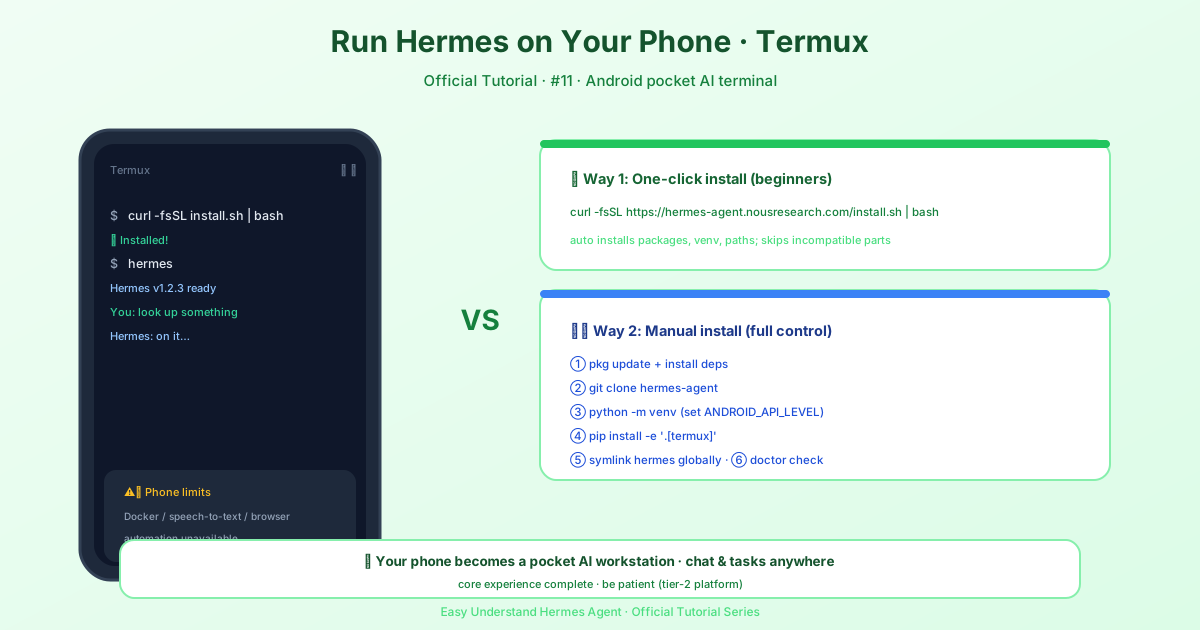
Tutorial 11: Running Hermes on Android (Termux)
Welcome back, agent builders! Today we’re doing something fun: turning your Android phone into a pocket-sized AI agent machine. Thanks to Termux, you can run Hermes directly on your phone — no cloud server, no desktop required. Let’s get you set up.
A Quick Heads-Up
Before we dive in, one honest note: Android/Termux is what we call a Tier 2 platform. That means the installer and docs are maintained on a best-effort basis. It works great, but occasionally a new commit to the main repo might break something. If that happens, don’t panic — just check for updates or ask in the community.
What Works on Android?
The tested Termux bundle gives you a solid, phone-native CLI experience. Here’s what’s included:
- The full Hermes CLI
- Cron support for scheduled tasks
- PTY/background terminal support
- Telegram gateway (manual, best-effort background runs)
- MCP support
- Honcho memory support
- ACP support
The magic command that installs all of this is:
python -m pip install -e '.[termux]' -c constraints-termux.txtWhat’s Not Ready Yet?
Some features need desktop-style dependencies that don’t have Android versions yet:
- The full
.[all]extra isn’t supported on Android - Voice features are blocked because
ctranslate2(needed byfaster-whisper) doesn’t publish Android wheels - Automatic browser/Playwright setup is skipped
- Docker-based terminal isolation isn’t available
- Android may suspend background jobs, so gateway persistence is best-effort
But don’t let that discourage you — Hermes works beautifully as a phone-native CLI agent. It’s just intentionally narrower than the desktop install.
Option 1: The One-Line Installer
The easiest way to get started is with our Termux-aware installer:
curl -fsSL https://hermes-agent.nousresearch.com/install.sh | bashThis smart installer automatically:
- Uses
pkgfor system packages - Creates a Python virtual environment
- Tries the broader
.[termux-all]extra first, then falls back to.[termux], then base - Links
hermesinto$PREFIX/binso it’s always on your PATH - Skips the untested browser/WhatsApp setup
Option 2: Manual Install (For Control Freaks)
If you prefer explicit commands or need to debug something, here’s the manual path.
Step 1: Update Termux and install dependencies
pkg update
pkg install -y git python clang rust make pkg-config libffi openssl nodejs ripgrep ffmpeg
These packages handle everything from building Python dependencies (clang, rust, make) to file searching (ripgrep) and media conversion (ffmpeg).
One important catch: Hermes requires Python >=3.11,<3.14, but current Termux ships Python 3.14.x, which is outside that range. The installer detects this and automatically tries the Termux User Repository (TUR) for a supported interpreter. For a manual install, grab one yourself:
pkg install tur-repo
pkg install python3.13
Then use python3.13 in place of python in the commands below (e.g. python3.13 -m venv venv).
Step 2: Clone and set up
git clone https://github.com/NousResearch/hermes-agent.git
cd hermes-agent
python -m venv venv
source venv/bin/activate
export ANDROID_API_LEVEL="$(getprop ro.build.version.sdk)"
python -m pip install --upgrade pip setuptools wheel
That ANDROID_API_LEVEL line is important — it helps Rust-based packages like jiter build correctly.
Step 3: Install the tested bundle
python -m pip install -e '.[termux]' -c constraints-termux.txtOr for just the minimal core:
python -m pip install -e '.' -c constraints-termux.txtStep 4: Put hermes on your PATH
ln -sf "$PWD/venv/bin/hermes" "$PREFIX/bin/hermes"Now hermes works in any new shell without re-activating the venv.
Step 5: Verify and start
hermes --version
hermes doctor
hermes
Community-Maintained APT Option
There’s also a community-maintained APT repository if you prefer native package management. Important: this is run by @adybag14-cyber, not officially by NousResearch. You’re trusting their signing key, so use at your own discretion.
curl -fsSL https://raw.githubusercontent.com/adybag14-cyber/termux-python/main/scripts/setup_apt_repo.sh | bash
pkg install hermes-agent
Updates go through the package manager:
pkg update
pkg upgrade hermes-agent
Next Steps After Installation
Once Hermes is running, configure your model:
hermes modelOr set keys directly in ~/.hermes/.env. You can re-run the full setup wizard anytime with hermes setup.
That’s it! You now have a working AI agent in your pocket. Go build something awesome — right from your phone.
📖 Official Docs
This article is based on the official Hermes Agent documentation:Official docs › getting-started/termux