Team Telegram Assistant
Team Telegram Assistant — easy-to-understand guide based on official docs
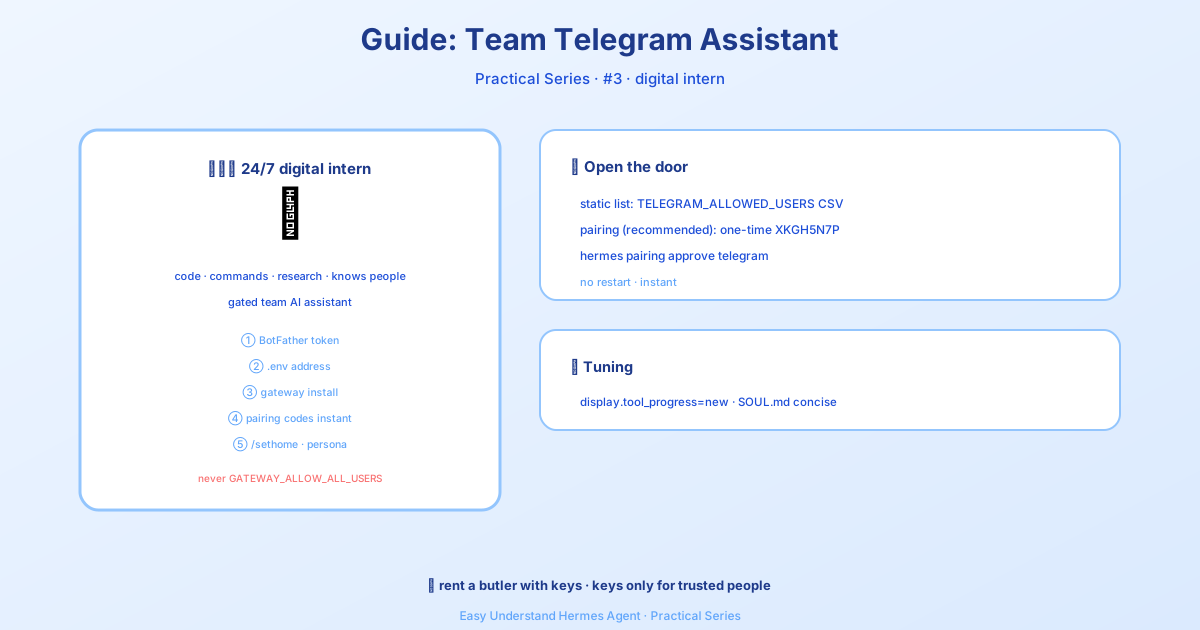
Team Telegram Assistant
If you’ve ever wanted to chat with your Hermes Agent from your phone, send it a quick voice memo while walking the dog, or have it drop scheduled task results into a group chat, the Telegram integration is about to become your new best friend.
This guide walks you through setting up your own Telegram bot, customizing it to feel like a polished product, and using some seriously cool new features that make the experience way smoother.
Quick Setup (Dashboard and Desktop App)
The Messaging → Telegram page in the dashboard and the desktop app has a Create with QR button. Scan the code (or open the link) in Telegram; Hermes creates the bot for you, detects your Telegram user ID, writes TELEGRAM_BOT_TOKEN and TELEGRAM_ALLOWED_USERS into your profile’s .env, and restarts the gateway. If you prefer to create the bot yourself, follow the manual steps below.
Step 1: Create Your Bot (It’s Easier Than You Think)
First, you need a bot. Telegram’s official bot manager, @BotFather, handles all the paperwork.
- Open Telegram and search for @BotFather (or visit t.me/BotFather)
- Send
/newbot - Pick a display name — anything you like, like “Hermes Agent”
- Choose a username — this must be unique and end in
bot, likemy_hermes_bot - BotFather will reply with your API token — it looks like this:
123456789:ABCdefGHIjklMNOpqrSTUvwxYZImportant: Keep that token secret. Anyone with it can control your bot. If it ever leaks, revoke it immediately with /revoke in BotFather.
Step 2: Make Your Bot Look Professional (Optional)
Before you start chatting, a few quick BotFather commands can make your bot feel polished:
| Command | What It Does |
|---|---|
/setdescription |
The “What can this bot do?” text users see before chatting |
/setabouttext |
Short text on the bot’s profile page |
/setuserpic |
Upload an avatar |
/setcommands |
Define the command menu (the / button in chat) |
/setprivacy |
Control group message visibility (more on this later) |
For /setcommands, a good starting set is:
help - Show help information
new - Start a new conversation
sethome - Set this chat as the home channel
New: Online/Offline Status Indicator
Telegram bots don’t have a green “online” dot like user accounts. But Hermes can fake it nicely using the bot’s short description — the line under its name on the profile page.
Enable status_indicator in your config, and Hermes sets that line to Online when connected and Offline on a clean shutdown:
gateway:
  platforms:
    telegram:
      extra:
        status_indicator: true
        # Optional custom strings (defaults: "Online" / "Offline"):
        status_online: "🟢 Online"
        status_offline: "🔴 Offline"
A few notes:
- The status is global — everyone sees it on the profile page, not as a live badge in chat.
- Only a clean shutdown (like
/stop) writes “Offline”. A crash leaves the last-known status. - It’s off by default since it changes the bot’s global profile.
New: Cold-Boot Pending Queue
By default, Hermes drops any messages that piled up in Telegram’s queue while the gateway was offline — a restart is treated as a clean slate. That’s fine for always-on servers, but not for a desktop you shut down overnight: messages sent during the outage vanish silently, with no log and no retry.
Set drop_pending_on_cold_boot: false to receive that backlog in order on startup instead:
platforms:
  telegram:
    extra:
      drop_pending_on_cold_boot: false
A few notes:
- Default is
true, so nothing changes unless you opt in. - Brief reconnects (network blips with the process still alive) always keep the queue.
- After a crash, a preserved queue can redeliver a message the crashed instance had partly handled, so time-sensitive commands sent during a long outage will run on boot.
New: Command Menu Priority and Cap
Hermes automatically registers its command menu when the gateway starts. The default cap is 60 commands — enough for all built-ins plus common skills, and reliable for Telegram’s payload limits.
If you have specific skill or plugin commands that must stay visible in the / picker, prioritize them:
platforms:
  telegram:
    extra:
      command_menu:
        max_commands: 60
        priority_mode: prepend  # prepend | append | replace
        priority:
          - my_plugin_command
- songsee # skill commands work tooprepend: your commands first, then Hermes defaultsappend: Hermes defaults first, then yoursreplace: use only your list for priority ordering
The key improvement: prioritized commands are guaranteed a slot before the cap is enforced. Previously, skills were trimmed alphabetically, so late-alphabet skills could never appear. Now they can.
New: Inline Command Picker (No Cap!)
The / menu is capped, but Telegram’s inline mode is not. Once enabled, type @yourbotname in any chat and search across every Hermes command and skill — live, per keystroke, paginated, nothing trimmed:
@yourbotname plan            → tap the /plan result to send it
@yourbotname plan migrate auth to OIDC   → sends /plan migrate auth to OIDC
@yourbotname pdf             → finds skills matching "pdf" by name or description
The first word filters the catalog; everything after it becomes the command’s argument. Tapping a result sends the command as a normal message from you.
One-time setup: Inline mode is off by default. Enable it in @BotFather with /setinline (pick your bot, set placeholder text like “Search commands and skills…”). Until then, the picker stays inert.
Security bonus: results are only served to users on your gateway allowlist. Unauthorized users get an empty list, so your skill catalog stays private.
Step 3: Privacy Mode
Privacy mode controls whether your bot sees all group messages or only ones that mention it or use commands. This is critical for group chats — check the full docs for details on configuring it correctly.
New: Bot-to-Bot Loop Guard
If you run multiple Hermes bots in one group with TELEGRAM_ALLOW_BOTS=all, two bots that answer each other’s quote-replies can loop forever. Setting telegram.bots_require_mention: true (env TELEGRAM_BOTS_REQUIRE_MENTION) closes that path: a message from another bot only triggers a response when it explicitly @mentions this bot, while human replies keep working unchanged. A bot-to-bot loop guard also meters every chat where bot-authored messages are admitted — once 20 bot messages land in one chat inside 5 minutes, further bot messages in that chat are dropped for 10 minutes and one warning is logged, while human messages are never counted or dropped. Settings live in config.yaml:
gateway:
  bot_loop_guard:
    enabled: true        # false turns the guard off
    max_events: 20       # bot messages per chat per window
    window_seconds: 300
    cooldown_seconds: 600
A legitimate high-volume bot posting more than 20 messages into one chat in 5 minutes trips the guard too; raise max_events for that gateway.
That’s it! You’re now ready to chat with your agent from anywhere, send voice memos that get auto-transcribed, and manage your team’s tasks right from Telegram.
📖 Official Docs
This article is based on the official Hermes Agent documentation:Official docs › user-guide/messaging/telegram